

Defold release 1.13.2
By The Defold Foundation on Sep 29, 2026
Tagged as: News, Release, 2d, 3d, Editor, Physics, Gui, Fonts, Performance
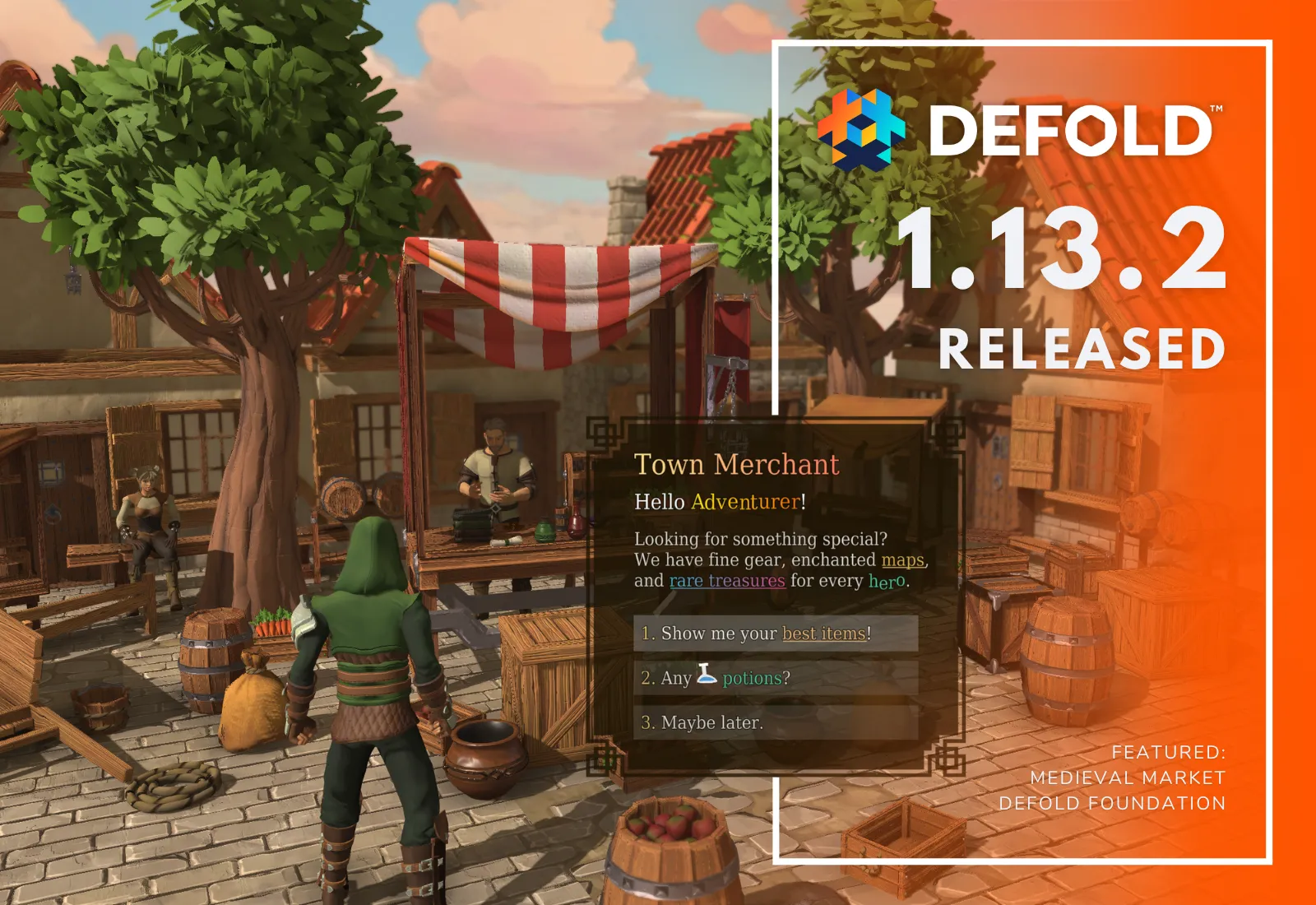
A mockup made in Defold with 3D models from Quaternius, UI images from Kenney and a skybox from Free Stylized.
Defold 1.13.2 is now available. This release adds rich text to labels and GUI nodes, so you can now create more expressive interfaces with colorful texts and images without extensions. It gives 3D projects a much broader Bullet 3D physics API in Lua, and makes it easier to work with fonts, text properties, and editor automation. It also includes a long list of fixes across all platforms, for rendering, audio, and the editor.
Before updating an existing project, we recommend reviewing the full release notes, especially the notes about custom HTML templates, the renamed window event constant, the new rich text support, and Android R8 configuration.
Key changes in Defold 1.13.2
In short, Defold 1.13.2 introduces, among other things:
- rich text markup for Label components and GUI text nodes;
- colors, gradients, sizes, outlines, shadows, underlines, animated effects, sprites, links, and named styles for text;
- the new
bullet3dphysics Lua API for 3D worlds, rigid bodies, shapes, collision objects, and constraints; - 3D collision meshes for detailed static collision geometry;
- configurable multisampling for render-target attachments;
- support for OpenType CFF fonts and faster distance-field font generation;
- text properties for Lua scripts, including multi-line and UTF-8 values;
- validated Lua API annotations and improved text shaping preview in the editor;
- editor HTTP endpoints for compiling projects, running games, and waiting for command completion;
- editor workflows such as format on save, opening code at a particular line, and running games without taking focus;
- App Manifest options for excluding GUI, Particle FX, or Tilemap support from custom engines;
- faster LiveUpdate archive creation and additional Bob build performance improvements;
- improved HTML5 loading, audio behavior, shader error messages, Android R8 support, and many other fixes.
Rich text for labels and GUI nodes
The most visible new feature in Defold 1.13.2 is rich text markup support. Label components and GUI text nodes can now contain lightweight markup that changes the appearance of selected parts of a string while the game is running. You can also preview the result in the editor:
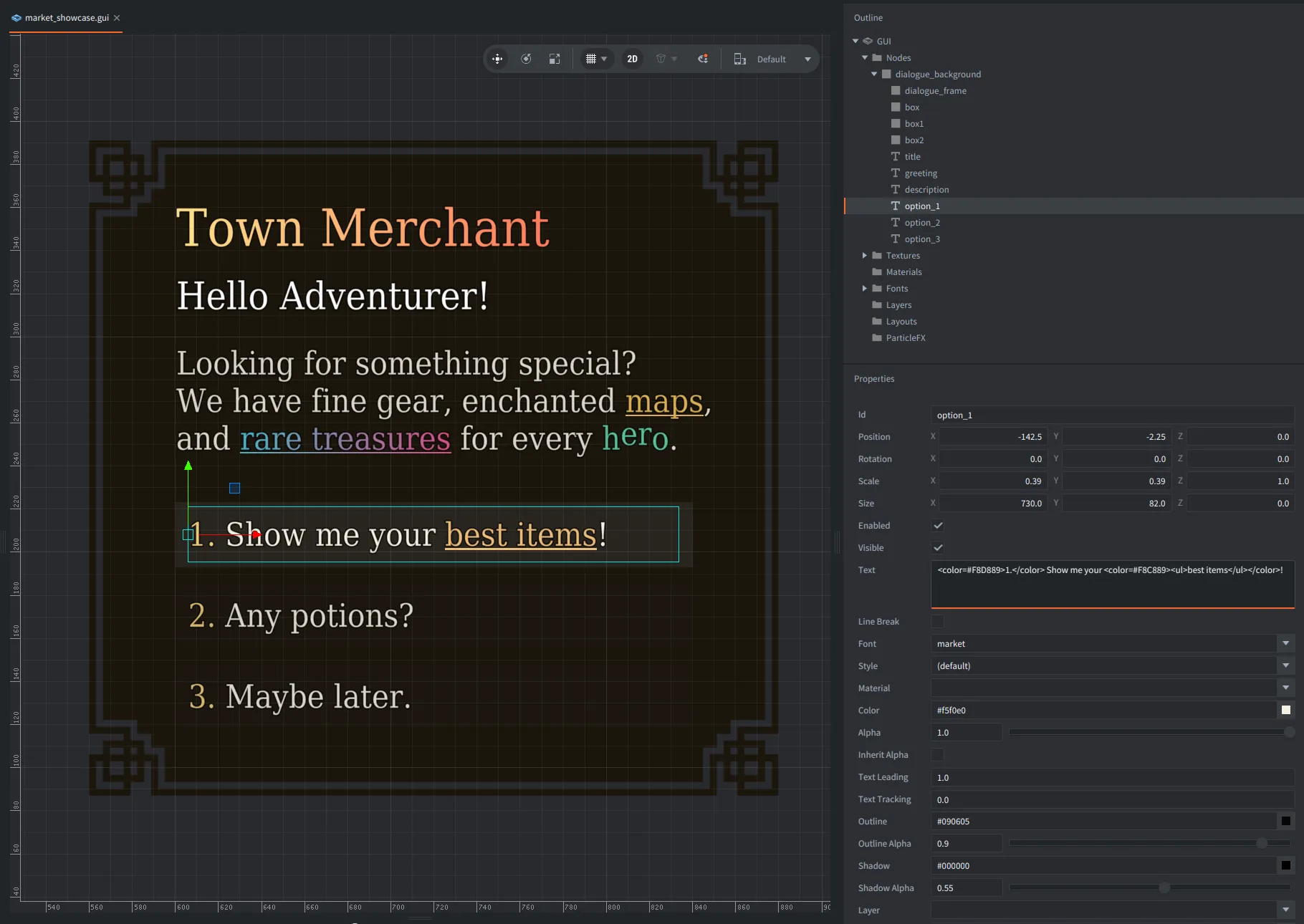
Rich text markup can be used in GUI text nodes and label components.
This is useful for text such as a highlighted item name, a colored damage number, an emphasized word in dialogue, a quest objective with a status icon, or a tutorial message that needs more visual structure. You can use it in the Text property in the editor and modify the text at runtime with markup:
go.set("#label", "text", [[
    Score: <gradient left=#69D2E7 right=#FFFFFF>1200</gradient>
    <outline size=2 color=#000000> NEW!</outline>
]])
The first set of supported tags includes:
colorandsizefor changing the appearance and scale of text;gradientfor horizontal, vertical, and four-corner color gradients;ulandstrikefor underlined and struck-through text;outlineandshadowfor outline and shadow settings;shakeandwavefor animated text effects;spritefor inline sprite objects (images);linkfor text that can be identified as a link and handled from Lua;stylefor reusable named styles defined on a font.
Tags can be nested, so a single piece of text can combine several effects. For example, a highlighted word can have a gradient, an outline, and a small animated offset at the same time. The markup is parsed by the engine and uses the same text layout system as normal text, which means it works with regular labels and GUI text nodes and doesn’t require a separate rendering technique.

Rich text markup in a Defold label and GUI text node.
Rich text is enabled by default. You can use the App Manifest to remove the parsing and styling support. This is useful when keeping the final engine as small as possible is more important than having rich text available.
The rich text manual contains the complete tag reference, syntax rules, nesting behavior, named styles, and the Lua APIs for inspecting links and inline sprites.
A new Bullet3D Physics Lua API
We recently introduced the Box2D Lua API for more advanced physics operations in two dimensions, and we’re now adding similar functionality for 3D. The new bullet3d API provides Lua access to the Bullet 3D physics world and the objects inside it.
You can now retrieve and work in scripts with worlds, collision objects, rigid bodies, shapes, and constraints. The API includes control over transforms, velocity, mass, damping, friction, restitution, activation, collision filters, continuous collision detection, and sleeping. It also provides overlap and contact queries as well as immediate and deferred ray casts and convex-shape casts.
Support for constraints is included as well. Hinges, sliders, springs, and other relationships between bodies can be created and configured through bullet3d.constraint.
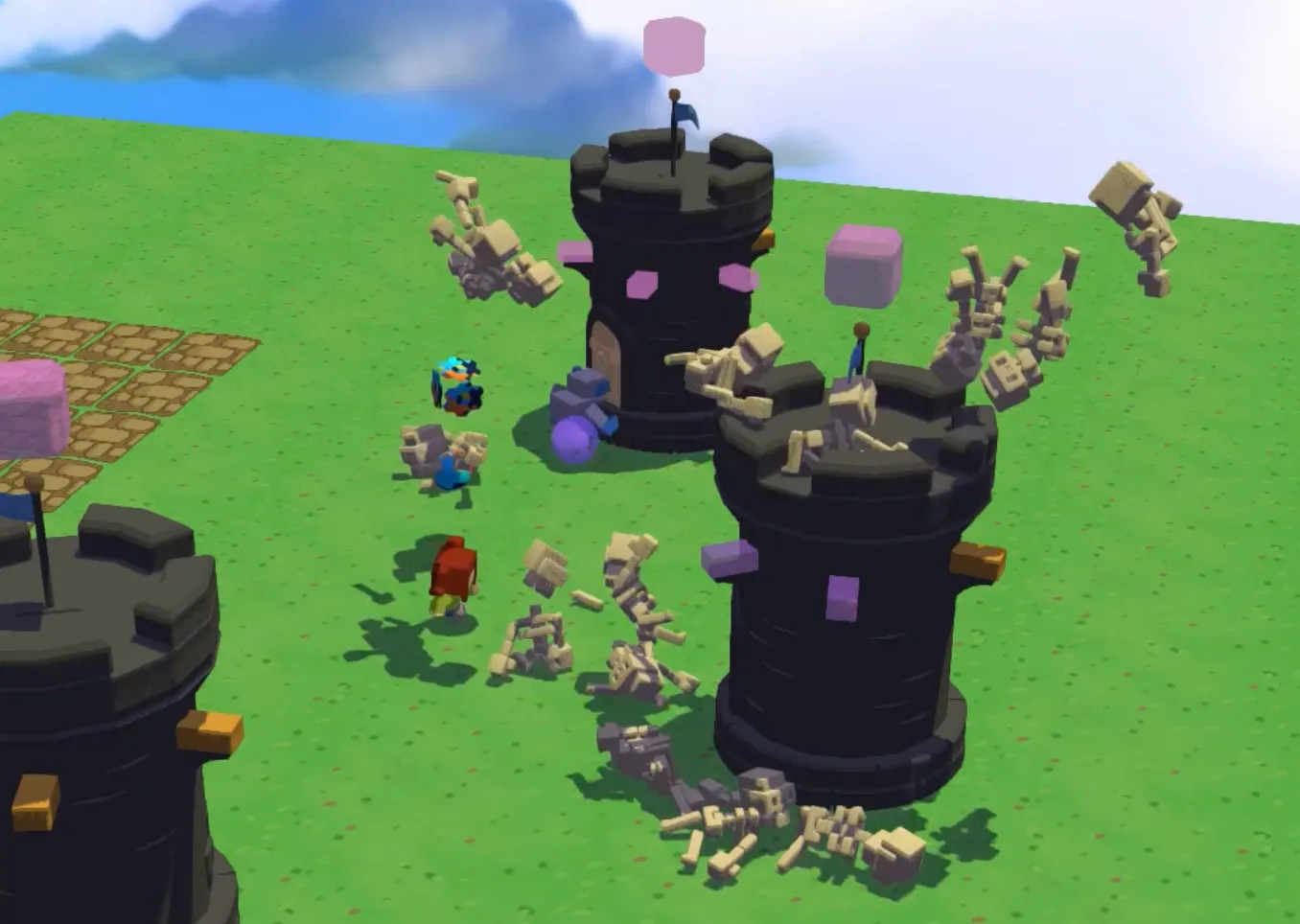
Bullet3D physics API experiments with ragdolls and other constraints by Dragosha.
This makes it possible to build more complex 3D physics systems in code. You can inspect what is near a character, apply an impulse to a rigid body, use a ray cast to find the ground, or perform a closest-hit query when aiming or interacting with the world. The API can be used for gameplay systems, debugging tools, or custom physics-driven interactions. Doors, vehicle parts, elevators, mechanical elements, ragdoll-like constructions, or physics puzzles can now be built from Lua without writing a native extension to reach the underlying Bullet functionality. This is a significant step forward for 3D games.
The API reference is the best place to explore the available constants and functions.
3D collision meshes
Detailed collision geometry is another important addition for 3D projects. You can now use a mesh as an object’s collision shape, which is useful for level geometry, buildings, rocks, platforms, or other objects, especially when a collection of simple primitive shapes would not be accurate enough.
The Model component now has a Scene property for referencing a glTF file. Previously, the Mesh property referenced the file, but this was confusing because a single file can contain multiple meshes. The Mesh property is now used to choose a mesh from the referenced scene:
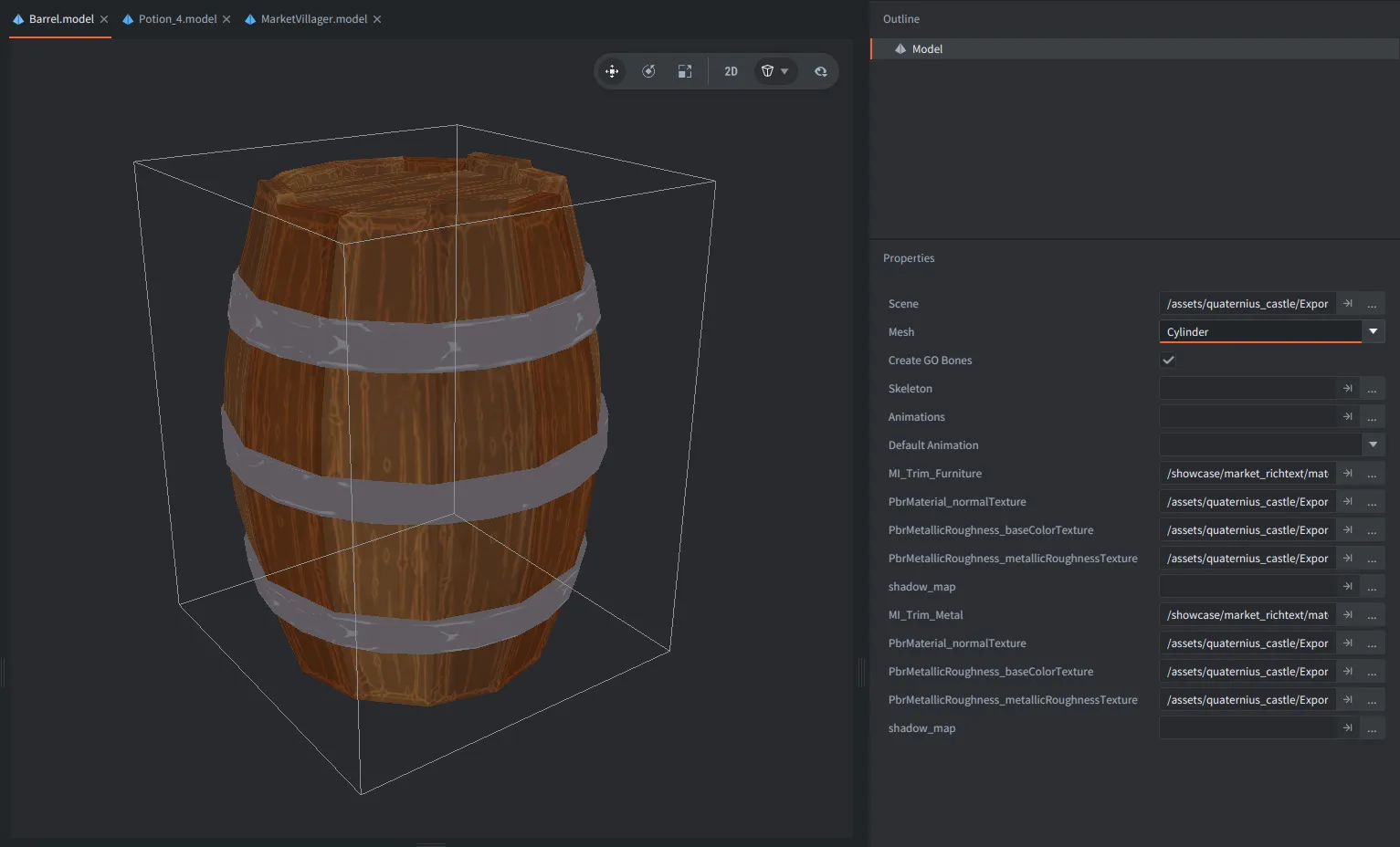
Mesh and Scene properties in a Defold model component.
A collision object can now have a shape of type Mesh, which you can specify in the editor:
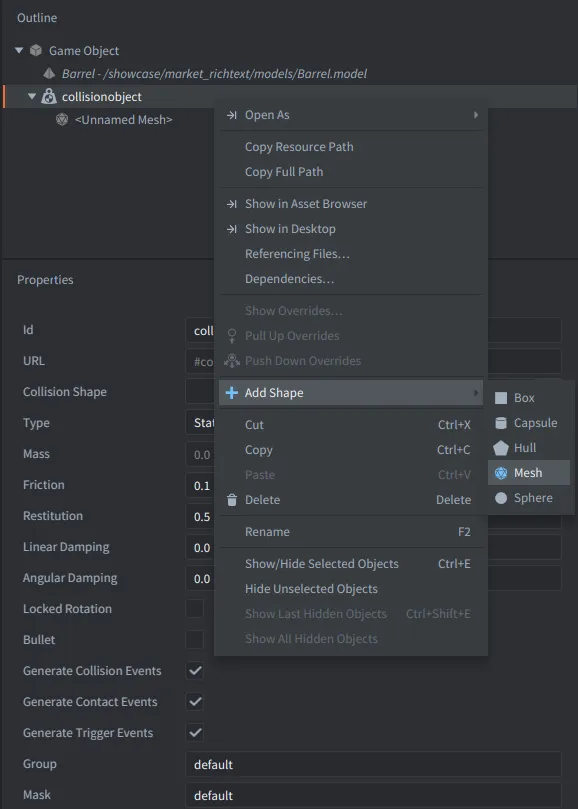
Choose Add Shape → Mesh to give a collision object a mesh collision shape.
Then you can select a given Scene referencing the file and select a Mesh. Mesh collision shapes are also available through the physics APIs. You can use physics.SHAPE_TYPE_MESH and bullet3d.shape.SHAPE_TYPE_MESH in Lua code when working with these shapes.
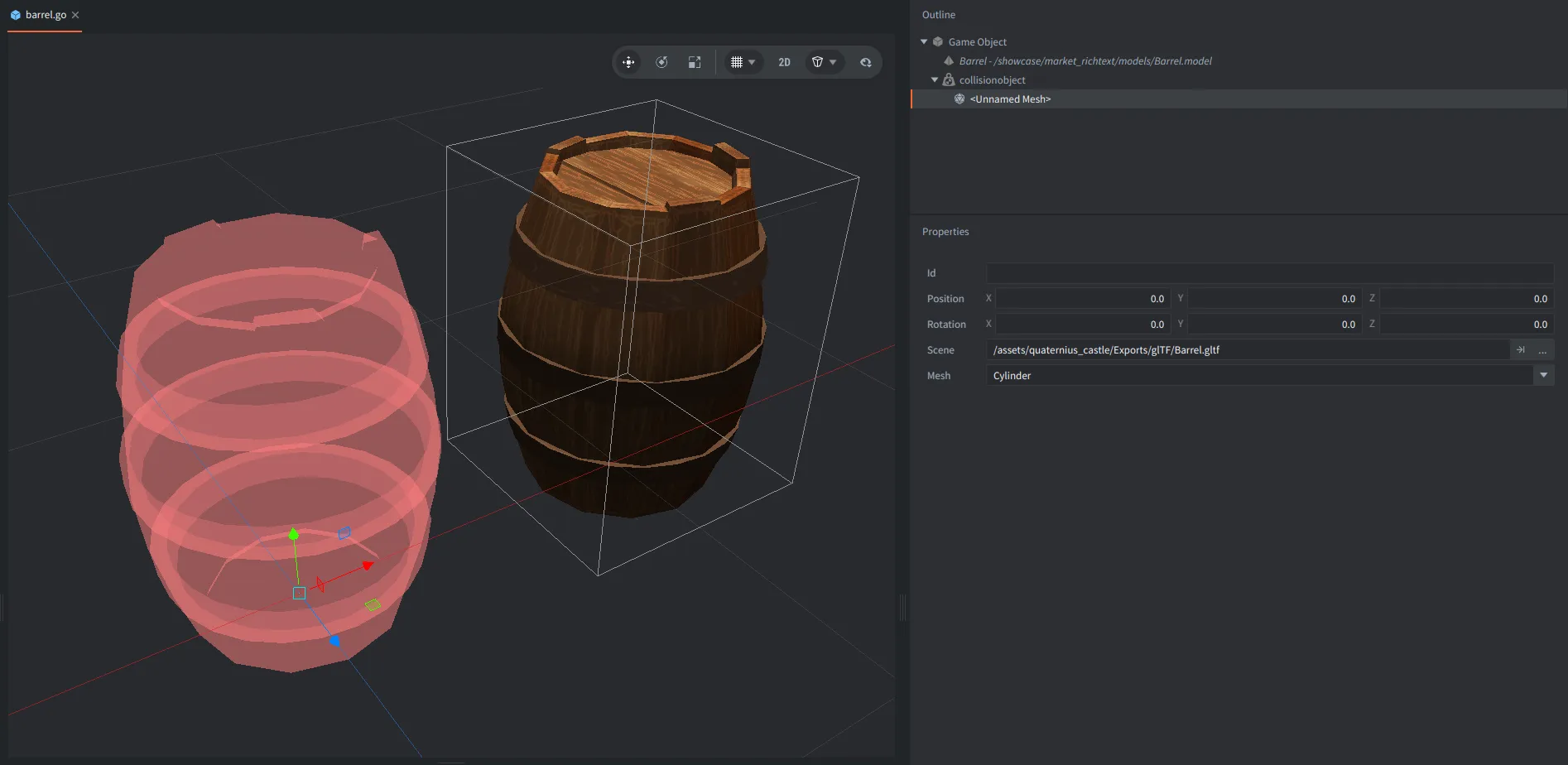
3D meshes can now be used for collision shapes in Defold.
Collision meshes are particularly helpful for games where the level geometry can be built from imported 3D assets. Instead of creating a simplified collision representation for every part of the environment by hand with primitive shapes, developers can use a suitable mesh for it. As with any detailed collision geometry, it is still worth choosing the simplest shape that gives the desired result.
Better font rendering
Text rendering receives several improvements in this release, not only rich text. Defold now supports OpenType CFF fonts in addition to the existing font formats. TrueType glyf and OpenType CFF1/CFF2 outlines are supported by both the legacy and full-shaping text engines.
Distance-field font generation has also been optimized, and full text shaping is faster. These changes are helpful for projects that generate font maps during development or use languages and scripts that need more complete shaping behavior. The release also fixes issues around font glyph ascent, glyph-cache updates, and font rendering on affected graphics backends.
The editor now uses the engine text rendering path when previewing shaped text. This helps the text shown in the editor stay closer to what appears at runtime, including for right-to-left text such as Arabic or Farsi.
Text properties
Lua scripts can now declare a text property in the same way they declare other script properties:
go.property("greeting", "Hello!\nWelcome to the game.")

function init(self)
    go.set("#label", "text", self.greeting)
end
Text properties support UTF-8, newlines, defaults, and overrides on game objects, embedded instances, and collections. This makes it easier to expose dialogue, labels, and other bits of content as editable project data without creating a custom resource for every value.
The text property can be read and written with go.get() and go.set(). The older label.get_text() and label.set_text() functions remain available for compatibility, but they are now deprecated in favor of the regular component-property API.
A more capable editor for tools and automation
Defold 1.13.2 continues the editor automation work introduced in the previous releases.
The editor server adds /command/compile and /command/run endpoints. Third-party IDEs, scripts, and coding agents can compile a project without running it, or start a game as part of a larger workflow. Several command endpoints now wait for the requested operation to finish and return structured results instead of requiring a client to infer completion from logs.
When a game is launched through the editor HTTP API, the response includes the target URL. External tools can use that URL directly instead of searching the engine log for the port. Games can also be started or rebooted without taking focus by passing focus=false, which is useful when you want to keep the editor or another application active.
The editor scripting API can open a code resource at a particular line, column, or selected range.
Code formatting and Defold-aware annotations
Developers can now enable format on save in Preferences > Code, using the same LSP formatting support available from the Alt + Shift + F shortcut.
Defold now ships validated Lua API annotations for game and editor scripts. When used with the upstream Lua Language Server, these annotations provide more accurate completions and diagnostics for Defold APIs, including editor.* functions and built-in types such as hash, url, or vectors.
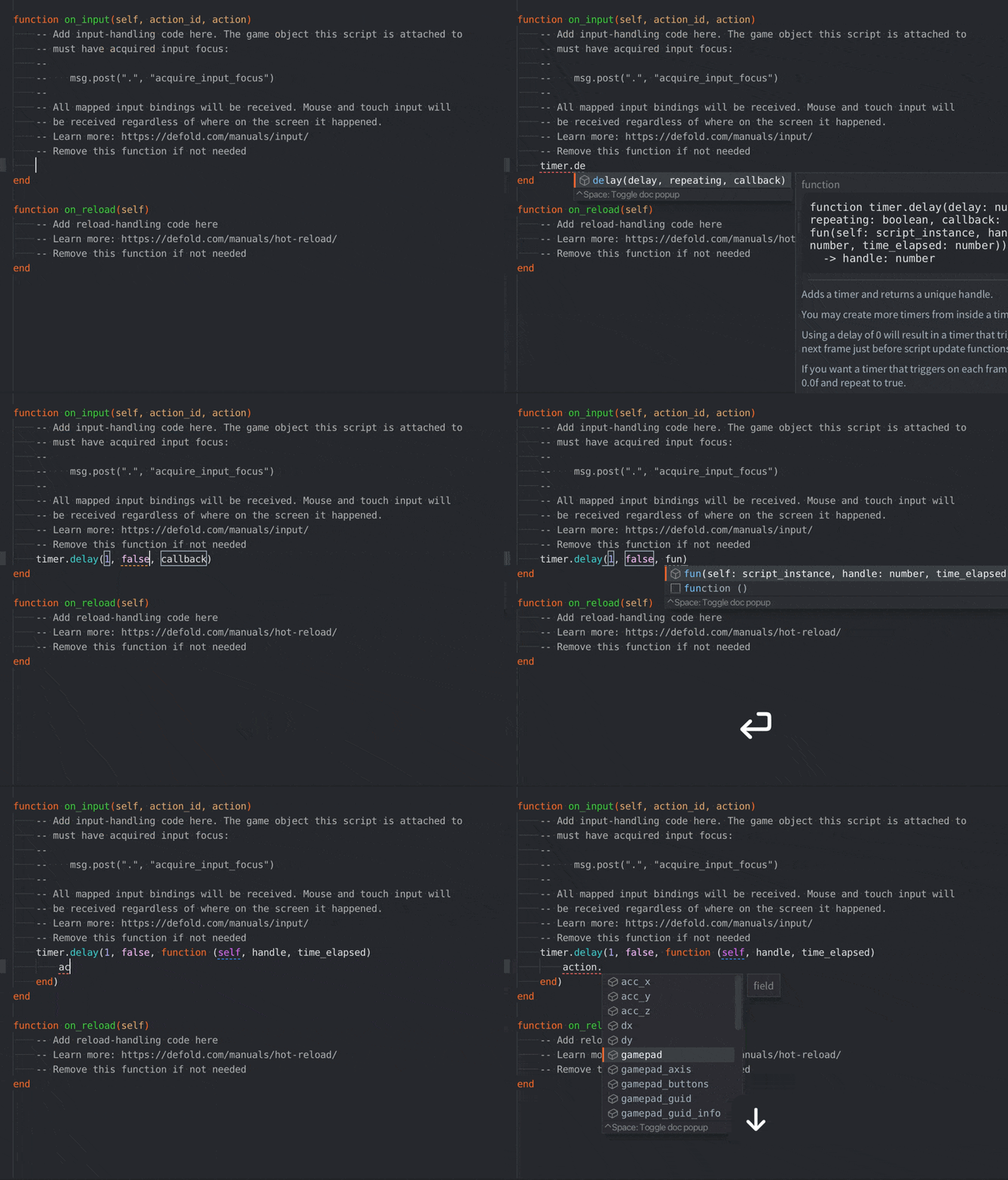
Lua code editor showing Defold API completions and annotations.
Scene view and other editor improvements
Scene View now remembers more of its state for each resource. Camera position, rotation, zoom, scene visibility, and grid settings are preserved when switching resources or restarting the editor. Three-dimensional resources start in perspective mode, and the 2D and 3D grid settings are kept separately. These are small changes, but they remove a surprising amount of repeated setup at the start of each editor session.
The editor can show up to three notifications at once, has more useful property and form tooltips, and provides clearer recovery when an editor error disables part of its behavior. Material resource views, search in files, drag-and-drop handling, animation previews, and resource validation have also been improved.
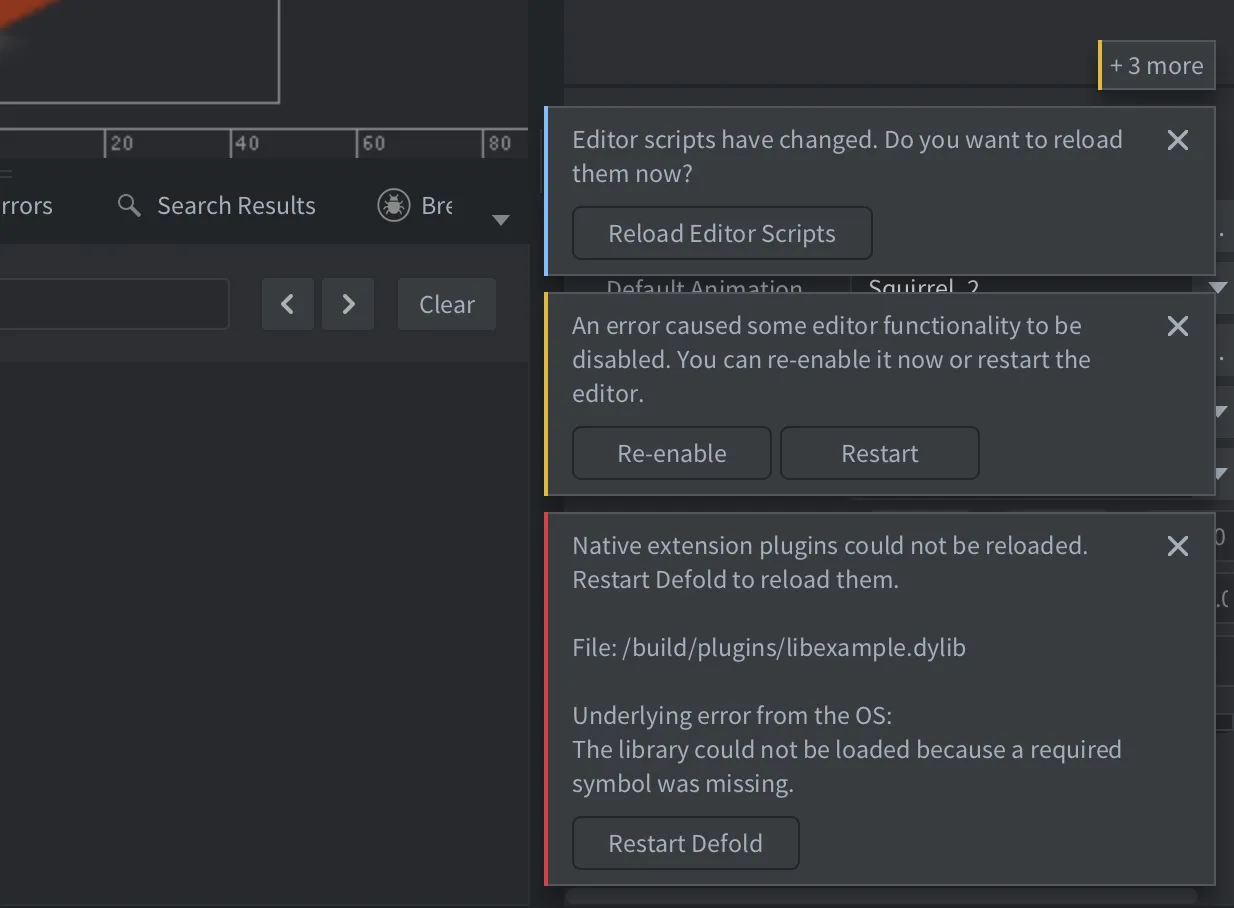
Multiple notifications displayed in the Defold editor.
Custom engines and build improvements
You can now remove more unused subsystems from custom engine builds through the App Manifest. GUI, Particle FX, Tilemap, and rich text support can each be excluded independently. This lets a project reduce its engine size when it does not need one of those systems, while the default engine configuration remains unchanged for existing projects.
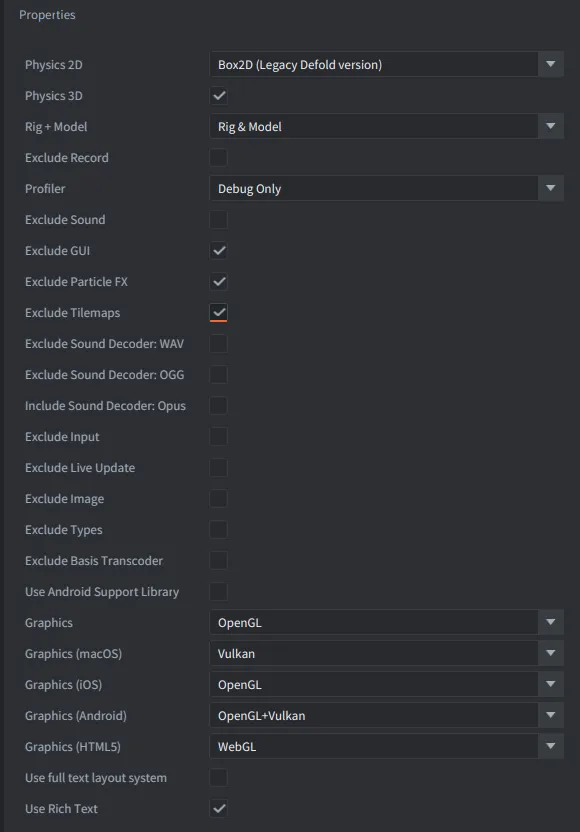
You can now exclude GUI, Particle FX, Tilemap, and rich text via the App Manifest.
Rendering improvements
The release also adds a sample_count setting to render targets. Color, depth, and stencil attachments can use multisampling, with automatic color resolving when the target is used. The requested sample count is normalized to a value supported by the active graphics adapter, and the effective value can be queried with resource.get_render_target_info().
local target = render.render_target({
    sample_count = 4,
    [graphics.BUFFER_TYPE_COLOR0_BIT] = {
        format = graphics.TEXTURE_FORMAT_RGBA,
        width = 1280,
        height = 720
    },
    [graphics.BUFFER_TYPE_DEPTH_BIT] = {
        format = graphics.TEXTURE_FORMAT_DEPTH,
        width = 1280,
        height = 720
    }
})
On WebGL platforms, graphics.webgl_version_hint can be used to request a WebGL 1 context even on a device that supports WebGL 2. This can be useful when a browser or driver reports extensions that are present but unreliable for a particular project.
LiveUpdate archive creation is faster, and Bob has received additional performance improvements when building large projects. Native extensions can contribute custom resources through ext.properties, avoiding the need to repeat their resource paths manually in every project. Cross-repository source builds now also cover Switch and PlayStation workflows.
HTML5, Android, and platform fixes
HTML5 builds now include browser resource hints for JSON, JavaScript, and WebAssembly files, improving the loading path for web games. Projects with a custom engine_template.html should update that template to match the new version, since the loading structure changed in this release.
The HTML5 loader also retries downloads when file-size verification fails. Projects that need to manage this behavior directly can use the html5.verify_downloaded_file_size project setting.
Android projects can use R8 for Java shrinking, optimization, and obfuscation by selecting a .keep rules file. Projects without one continue to use D8. The built-in dmengine.keep file provides safe defaults, and updated Defold Foundation extensions include their own keep rules. Projects using custom native extensions should make sure the classes accessed through JNI are kept by their rules.
The new release fixes fullscreen sizing when Windows or Linux uses a display scale other than 100%, improves compressed texture handling on mobile Safari, and avoids a crash in the VkQuality integration on affected Android devices. HTML5 sound instances no longer become exhausted when a browser cannot create a Web Audio context; sounds continue advancing silently until audio becomes available.
OpenGL and WebGL shader errors now include the shader stage, source path, and graphics-driver diagnostics. This should make graphics problems much easier to track down than a generic shader or JavaScript error.
Release notes
And finally, a surprise awaits Defold users updating to 1.13.2: a pop-up with release notes is shown during the update process and is also available through Help > Release Notes, making it easier to see what changed.
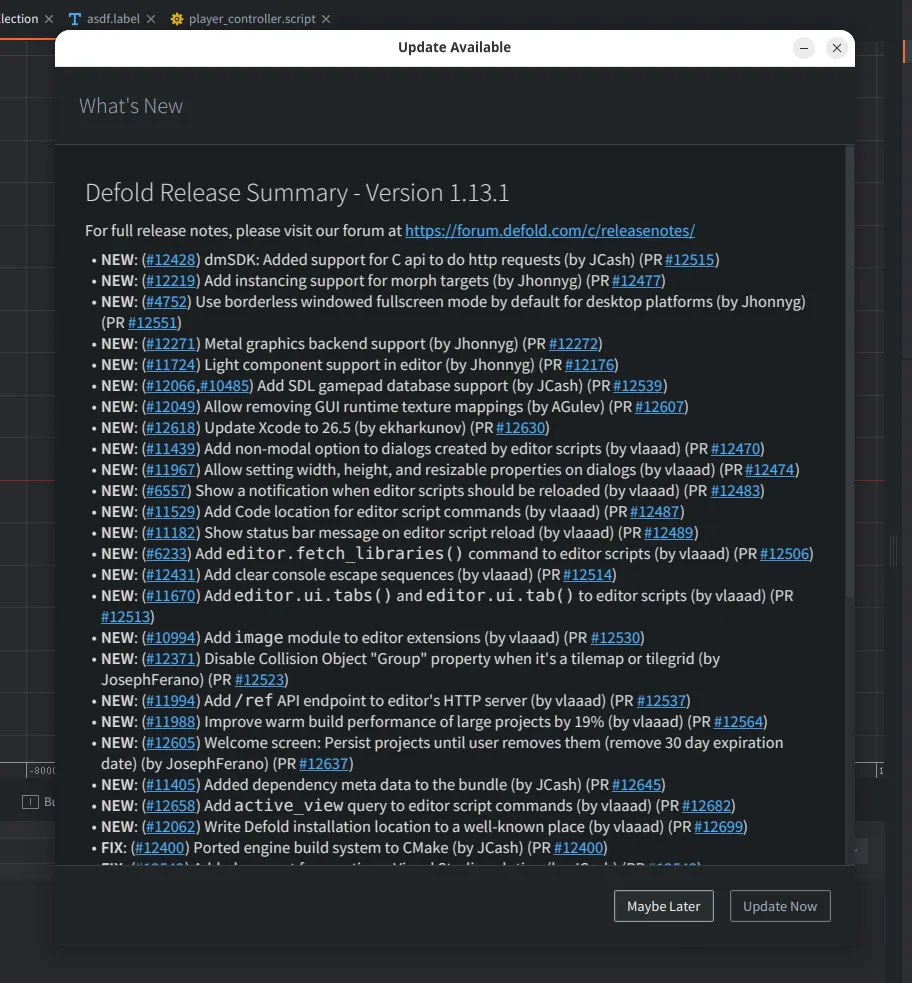
Release notes shown during a Defold editor update.
Other improvements worth knowing about
There are many other smaller changes in Defold 1.13.2 that improve everyday work:
- Physics messages are dispatched to Lua more efficiently, including batched messages.
- DDF encoding and decoding are faster, especially for small or repeated messages.
- GUI flipbook animations now respect their requested cursor and behave consistently when played backwards or cloned.
- Uppercase referenced resource extensions such as
image.PNGare accepted by the build process. - Android x86_64 bundling no longer fails when executables are stripped.
- Slice-9 sprites and GUI nodes can be flipped horizontally and vertically correctly.
- Native extensions can merge their custom resources with project and other extension resources.
- Material overrides now use the correct vertex layout when calculating buffer capacity.
- The editor can skip a release from the update dialog, and update bundles are kept separately for stable, beta, and alpha installations.
- The editor now rejects invalid resource names earlier and handles moved or removed project folders more clearly.
The misspelled window.WINDOW_EVENT_ICONFIED constant is deprecated. The correctly spelled window.WINDOW_EVENT_ICONIFIED constant is now available. The old name will work for now, but projects should change it to the corrected spelling.
Important update and migration notes
Before updating a project to Defold 1.13.2, check the following:
- Update a custom
engine_template.htmlto the current template because the HTML loading code changed. - Replace
window.WINDOW_EVENT_ICONFIEDwithwindow.WINDOW_EVENT_ICONIFIED. - Check whether rich text should remain enabled. It is on by default, but can be excluded through the App Manifest for projects that only need plain text.
- Replace uses of
label.get_text()andlabel.set_text()withgo.get()andgo.set()when convenient. - If you use Android native extensions, check their R8 keep rules and update Defold Foundation extensions to versions prepared for R8.
- Test custom fonts, outlines, and text spacing after updating, especially if your project uses generated font maps or custom font resources.
- Test custom render targets on the graphics APIs and devices you support when enabling multisampling.
As always, update using version control, build for every target platform, and test the project before shipping.
Summary
Defold 1.13.2 is available now. Rich text makes it easier to build expressive interfaces, while the new Bullet3D API and collision meshes make 3D gameplay systems more comfortable to build. Better fonts, text properties, editor automation, custom-engine options, and build improvements make the rest of the development loop more comfortable as well.
If you like the changes, consider helping us develop Defold further and bring even more exciting features and improvements - you can do so by spreading the word, helping test and catch issues, contributing, helping the community or donating.
We hope you enjoy Defold 1.13.2. Try it, and let us know what you build!