

Unity LevelPlay extension for Defold
This extension provides an object-based Lua API for Unity LevelPlay mediation on Android and iOS. It follows the SDK 9 lifecycle: initialize the SDK, create an ad object with an ad-unit ID, then explicitly load and show that object.
The current catalog uses LevelPlay 9.6.1 and Ad Quality 9.10.0 on both platforms.
Installation
Add a released archive to the Dependencies field in game.project:
https://github.com/defold/extension-levelplay/archive/refs/tags/<version>.zip
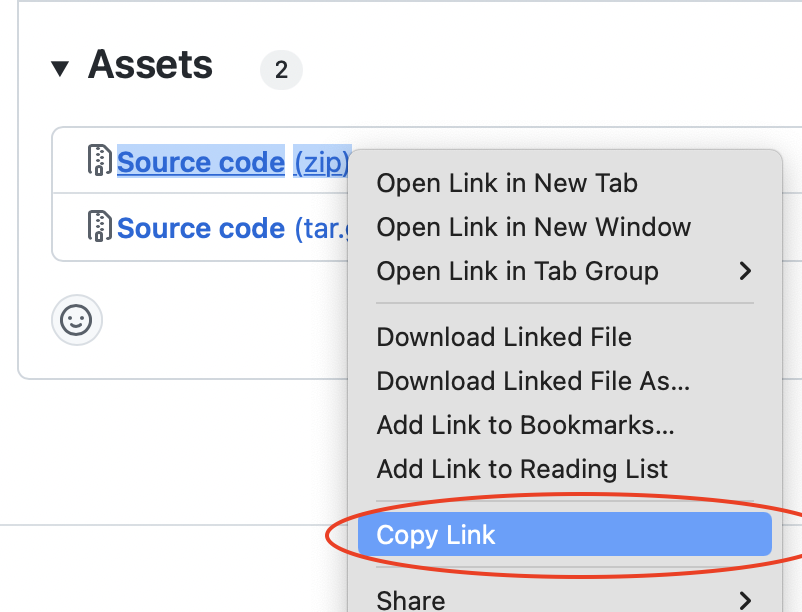
Choose a version from Releases, replace <version>, then select Project → Fetch Libraries.
Project configuration
Add a [levelplay] section and enable only the adapters used by your dashboard configuration. The example intentionally enables only Unity Ads:
[levelplay]
unity_ads_android = 1
unity_ads_ios = 1
ios_tracking_usage_description = Your data will be used to provide a more relevant advertising experience.
Available adapter prefixes are:
applovin, aps, bidmachine, bigo, chartboost, dt_exchange, admob,
hyprmx, inmobi, liftoff, line, meta, mintegral, mobilefuse, moloco,
ogury, pangle, pubmatic, smaato, superawesome, unity_ads, verve, vk,
yandex, yso
Append _android or _ios to a prefix. Tencent is available as
tencent_ios. When enabling AdMob on iOS, also set admob_ios_appid.
The current Android Google Mobile Ads SDK obtains the app ID from your
LevelPlay dashboard rather than Android manifest metadata.
Amazon Publisher Services must be configured with its app ID so the extension can initialize APS before LevelPlay:
[levelplay]
aps_android = 1
aps_android_app_id = your-aps-android-app-id
aps_ios = 1
aps_ios_app_id = your-aps-ios-app-id
The Android template includes Google advertising identifier dependencies and
the AD_ID permission by default. Set android_google_identifiers = 0 for an
Amazon build or a primarily child-directed build that must omit these
identifiers. The disabled path also emits the Android manifest removal rule so
an enabled adapter cannot merge AD_ID back in. Set COPPA and all
network-required device-ID opt-outs before initialization.
The Mintegral switch currently selects its verified overseas SDK and repository, not the separate China artifact family. Smaato and Meta network-security requirements, APS manifest components and Kotlin runtime, and Mintegral’s RecyclerView dependency are generated automatically.
Follow the current network integration guide for dashboard setup and any network-specific privacy metadata. For Chartboost, set its required COPPA value before initialization:
levelplay.set_metadata("CHARTBOOST_COPPA", is_child_directed and "YES" or "NO")
The extension requires Android API 24 or newer and targets API 36. Its iOS native templates set the deployment target to iOS 15, matching the current Defold iOS toolchain.
iOS attribution and transport configuration
The iOS template always enables the transport setting required by the mediated SDKs, the LevelPlay attribution endpoint, Unity’s current primary SKAdNetwork ID, and the primary IDs recorded in this repository for each enabled adapter.
Apple requires the complete current set for every network your application
uses. Partner-, account-, region-, and app-specific SKAdNetwork and
AdAttributionKit identifiers cannot be inferred from an adapter switch. Before
shipping, collect the complete lists from Unity’s iOS network guides and each
enabled partner. Supply a custom project Info.plist through Defold’s iOS →
Info.plist project setting containing the complete SKAdNetworkItems list;
Defold merges that base manifest with this extension’s iOS manifest. Review the
merged Info.plist in the final IPA. See Defold’s
manifest merge documentation
and Unity’s
SKAdNetwork guidance.
App keys and ad-unit IDs
An app key identifies the application and is passed only to levelplay.init().
An ad-unit ID identifies one dashboard ad unit and is passed to create_interstitial_ad(), create_rewarded_ad(), or create_banner_ad(). An app key and an ad-unit ID are not interchangeable. Each ad object retains its own ad-unit ID, listener, loading state, and integer handle.
The repository example uses Unity’s official demo credentials:
| Platform | App key | Interstitial | Rewarded | Banner |
|---|---|---|---|---|
| Android | 25b63cf85 |
h3xw38h9214adgxo |
syz3d8ekts22q0or |
4fpetq4lhe5lsw3e |
| iOS | 25c43a4a5 |
obg6ohwts3y690ks |
l1quzz1xmmdhw5er |
xc2bsuntn9ea734t |
Replace every value with credentials from your own LevelPlay dashboard before release.
Privacy before initialization
levelplay.set_gdpr_consent() does not display a consent form or collect a
choice. It passes a Boolean choice to LevelPlay, which shares it with mediated
networks whose adapters support the consent API. It also does not read values
stored privately by another Defold extension.
Whether you need to call it depends on the consent platform:
- With Google UMP, or a compatible CMP that supports Google’s Additional
Consent specification, LevelPlay SDK 7.7.0 and newer automatically reads and
shares the consent signals, so you normally do not need to pass the same
choice through
set_gdpr_consent(). Configure the applicable custom ad partners listed by Unity in the CMP’s Additional Consent setup. - With a custom or other external consent extension, retrieve the user’s final
choice from that extension and call
set_gdpr_consent()beforeinit(). Merely showing a consent form or saving the result in the other extension is not enough. - With another IAB TCF CMP, registered TCF vendors can read the TCF string. Follow the CMP’s instructions for non-registered vendors and pass the choice to LevelPlay when the CMP does not provide Google Additional Consent support.
See Unity’s official LevelPlay legal resources and its GDPR compliance page for the current CMP requirements and supported mediated networks.
For the custom or external consent path, collect privacy choices in your own consent flow and apply them before initialization. The sample values below are placeholders, not a consent-management implementation:
levelplay.set_gdpr_consent(user_granted_gdpr_consent)
levelplay.set_ccpa(user_opted_out_of_sale_or_sharing)
levelplay.set_coppa(is_child_directed)
-- When Meta Audience Network is enabled:
levelplay.set_meta_limited_data_use(use_meta_ldu, 0, 0)

local function initialize_after_tracking(status)
    -- Meta has a separate iOS flag; call this before init when Meta is enabled.
    levelplay.set_meta_advertiser_tracking(
        status == levelplay.TRACKING_STATUS_AUTHORIZED
    )
    levelplay.init(APP_KEY, user_id)
end

local status = levelplay.get_tracking_authorization_status()
if status == levelplay.TRACKING_STATUS_NOT_DETERMINED then
    -- In MSG_TRACKING, call initialize_after_tracking(message.event).
    levelplay.request_tracking_authorization()
else
    initialize_after_tracking(status)
end
For GDPR, true means consent was granted. For CCPA and related US privacy signals, true means the user opted out of sale or sharing. For COPPA, true flags the user as child-directed. Read Unity’s current regulation settings for Android and iOS, obtain legal guidance appropriate to your application, and set network-specific metadata before init() when required.
Meta’s Limited Data Use setting is not represented by LevelPlay’s scalar
privacy methods, so set_meta_limited_data_use() invokes the enabled Meta SDK
directly. Pass 0, 0 to let Meta determine country and state, or pass the
codes required by Meta’s current documentation.
set_meta_advertiser_tracking() applies Meta’s separate iOS tracking flag.
Both functions return false if Meta is not linked or initialization has
already started.
On iOS, request App Tracking Transparency before init() if mediation
partners should receive the IDFA. The result is delivered through
MSG_TRACKING; get_tracking_authorization_status() returns the current
state. Provide a clear ios_tracking_usage_description in game.project.
When Meta’s mixed-audience treatment applies, set its documented
Meta_Mixed_Audience metadata value before initialization as well.
Initialization and ad creation
Install one callback before initializing. Create ad objects only after EVENT_INIT_SUCCEEDED:
local interstitial
local rewarded
local banner

local function levelplay_callback(self, message_id, message)
    if message_id == levelplay.MSG_INIT then
        if message.event == levelplay.EVENT_INIT_SUCCEEDED then
            interstitial = levelplay.create_interstitial_ad(INTERSTITIAL_AD_UNIT_ID)
            rewarded = levelplay.create_rewarded_ad(REWARDED_AD_UNIT_ID)
            banner = levelplay.create_banner_ad(BANNER_AD_UNIT_ID, {
                size = levelplay.BANNER_SIZE_ADAPTIVE,
                position = levelplay.BANNER_POSITION_BOTTOM,
                respect_safe_area = true,
            })
        else
            print("LevelPlay init failed", message.error_code, message.error_message)
        end
    end
end

levelplay.set_callback(levelplay_callback)
levelplay.init(APP_KEY, "example-user")
Initialization reports both success and failure. Do not create or load ad objects merely because init() was called.
Ad objects, ad units, and placements
Create an ad object once after initialization and reuse it throughout the
session. The object is bound to the ad-unit ID supplied to its
create_*_ad() function. It owns that ad unit’s listener, loading state, and
handle.
Creation parameters are not per load or show. They remain attached to the returned handle for its entire lifetime:
| Parameter | Applies to | When supplied | Lifetime |
|---|---|---|---|
ad_unit_id |
All formats | First argument to create_*_ad() |
Fixed for the object |
bid_floor |
All formats | Second argument for interstitial/rewarded; banner options field |
Fixed for the object and every load it performs |
size, position, respect_safe_area |
Banner | Banner options fields |
Fixed for the banner view |
placement |
Banner | Banner options field |
Fixed for the banner and used for reporting |
placement |
Interstitial/rewarded | Optional argument to show_*_ad() |
Selected separately for each impression |
bid_floor is the minimum eCPM in USD. Omit it to use the dashboard and
mediation defaults. If an ad-unit ID, bid floor, or banner creation option must
change, destroy the handle and create a new object. Do not recreate an object
merely to load or show another impression with the same configuration.
For example, the optional bid floor is a positional argument for fullscreen objects but a field in the banner options table:
local interstitial = levelplay.create_interstitial_ad(
    INTERSTITIAL_AD_UNIT_ID,
    1.25 -- Minimum eCPM in USD for every load by this object.
)

local rewarded = levelplay.create_rewarded_ad(
    REWARDED_AD_UNIT_ID,
    1.25
)

local banner = levelplay.create_banner_ad(BANNER_AD_UNIT_ID, {
    size = levelplay.BANNER_SIZE_ADAPTIVE,
    position = levelplay.BANNER_POSITION_BOTTOM,
    placement = "HomeScreen", -- Reporting placement for this banner object.
    bid_floor = 1.25,
    respect_safe_area = true,
})
See Unity’s price-floor documentation for its current auction behavior.
A placement is not an object and is not created by the extension. It is an optional dashboard name passed when showing a ready fullscreen ad. Placements let the same ad-unit object report different presentation points and apply placement-specific rewards, pacing, and capping:
levelplay.show_interstitial_ad(interstitial, "LevelComplete")
levelplay.show_rewarded_ad(rewarded, "DoubleCoins")
Interstitial and rewarded objects support multiple load/show cycles. One successful load provides one fullscreen impression, so reload the same object after the previous ad closes:
create once
  → load
  → wait for EVENT_AD_LOADED
  → show once
  → wait for EVENT_AD_CLOSED
  → load the same handle again
  → show again
Do not recreate the object for every impression. Call destroy_*_ad() only
when permanently finished with that object; destruction invalidates its handle
and a later use requires creating a new object.
Banner objects are also created once. After loading, the native banner auto-refreshes. The same handle can be hidden and shown repeatedly without recreating or reloading the view.
The repository example automatically creates its default interstitial,
rewarded, and banner objects after EVENT_INIT_SUCCEEDED. Its Create
buttons are mainly there to test creating another object after the corresponding
Destroy button has invalidated the previous handle.
See Unity’s reusable-object guidance for interstitial and rewarded ads.
Integration Test Suite
The Test Suite is a separate initialization path. Before initialization, set
is_test_suite metadata to enable. On EVENT_INIT_SUCCEEDED, call
launch_test_suite() immediately; do not create ad objects or invoke other
LevelPlay SDK operations first. Because LevelPlay initializes once per app
process, restart the app before switching between the Test Suite and the normal
ad flow. The example exposes these as separate Initialize and Test suite
buttons.
Interstitial ads
Loading and showing are separate operations:
levelplay.load_interstitial_ad(interstitial)

-- Later, after EVENT_AD_LOADED:
local placement = "Default"
if levelplay.is_interstitial_ad_ready(interstitial)
    and not levelplay.is_interstitial_placement_capped(placement) then
    levelplay.show_interstitial_ad(interstitial, placement)
end
After EVENT_AD_CLOSED, call load_interstitial_ad(interstitial) again to
prepare the next impression. The same object and handle are reused.
Call destroy_interstitial_ad() when the object is no longer needed. Destroy
invalidates the handle and intentionally stops its future callbacks, so do not
destroy while loading or displaying when you still require the terminal event.
Use is_interstitial_placement_capped(placement) before presenting a
placement-driven entry point.
Rewarded ads
levelplay.load_rewarded_ad(rewarded)

local placement = "Default"
if levelplay.is_rewarded_ad_ready(rewarded)
    and not levelplay.is_rewarded_placement_capped(placement) then
    levelplay.show_rewarded_ad(rewarded, placement)
end
After the reward and close callbacks have completed, call
load_rewarded_ad(rewarded) again to prepare the next impression. Do not
recreate the rewarded object after every show.
Grant the reward when the callback receives MSG_REWARDED with
EVENT_AD_REWARDED. The message includes the ad handle and reward data when
supplied by the SDK. get_reward(handle, placement) can inspect the dashboard
reward before showing. Never destroy a displayed rewarded object before its
reward and close callbacks; destruction invalidates the handle and stops future
callbacks.
Banner ads
local banner = levelplay.create_banner_ad(BANNER_AD_UNIT_ID, {
    size = levelplay.BANNER_SIZE_ADAPTIVE,
    position = levelplay.BANNER_POSITION_BOTTOM,
    placement = "DefaultBanner",
    respect_safe_area = true,
})

levelplay.load_banner_ad(banner)
The native banner view is visible by default, so loading also displays it.
hide_banner_ad() preserves the banner for later display and
show_banner_ad() reveals it again. pause_banner_auto_refresh() and
resume_banner_auto_refresh() control refresh without changing visibility.
destroy_banner_ad() removes the native view and invalidates the handle.
Callback contract
The callback signature is:
function(self, message_id, message)
message_id identifies initialization, interstitial, rewarded, banner, or tracking. Every asynchronous SDK message contains message.event. Events emitted by an existing ad object also contain message.handle, which lets one callback route events from multiple ad-unit objects; a validation error raised before creation succeeds has no handle.
Failure events include error_code and error_message; iOS can additionally supply error_domain. Successful ad events can include ad-unit, placement, network instance, revenue, auction, creative, and the flat size fields ad_width, ad_height, ad_size_description, and ad_size_is_adaptive. A rewarded event uses reward_name and reward_amount. iOS can additionally supply conversion_value. Check the event constant before reading optional fields.
See example/callback.lua for complete routing and example/main.gui_script for the full lifecycle.
Migration notes
This extension has no compatibility layer for the retired singleton API. Migrate to per-ad-unit objects and explicit loads. The official guides explain the corresponding SDK changes:
- Migrate to SDK 9.0
- Migrate initialization
- SDK 9 API changes
- Maven Central migration
- Migrate Unity Ads to LevelPlay
Source
Source code and releases are available at github.com/defold/extension-levelplay.