

This translation is community contributed and may not be up to date. We only maintain the English version of the documentation. Read this manual in English
ファクトリーコンポーネント
ファクトリーコンポーネント(factory component)は、オブジェクトのプールから実行中のゲームにゲームオブジェクト(game object)を動的に生成するために使います。
ゲームオブジェクトにファクトリーコンポーネントを追加するときは、Prototype プロパティで、ファクトリーが新しく作成するすべてのゲームオブジェクトのプロトタイプ(prototype)として使うゲームオブジェクトファイルを指定します。プロトタイプは、他のエンジンでは「プレハブ(prefab)」や「設計図(blueprint)」とも呼ばれます。
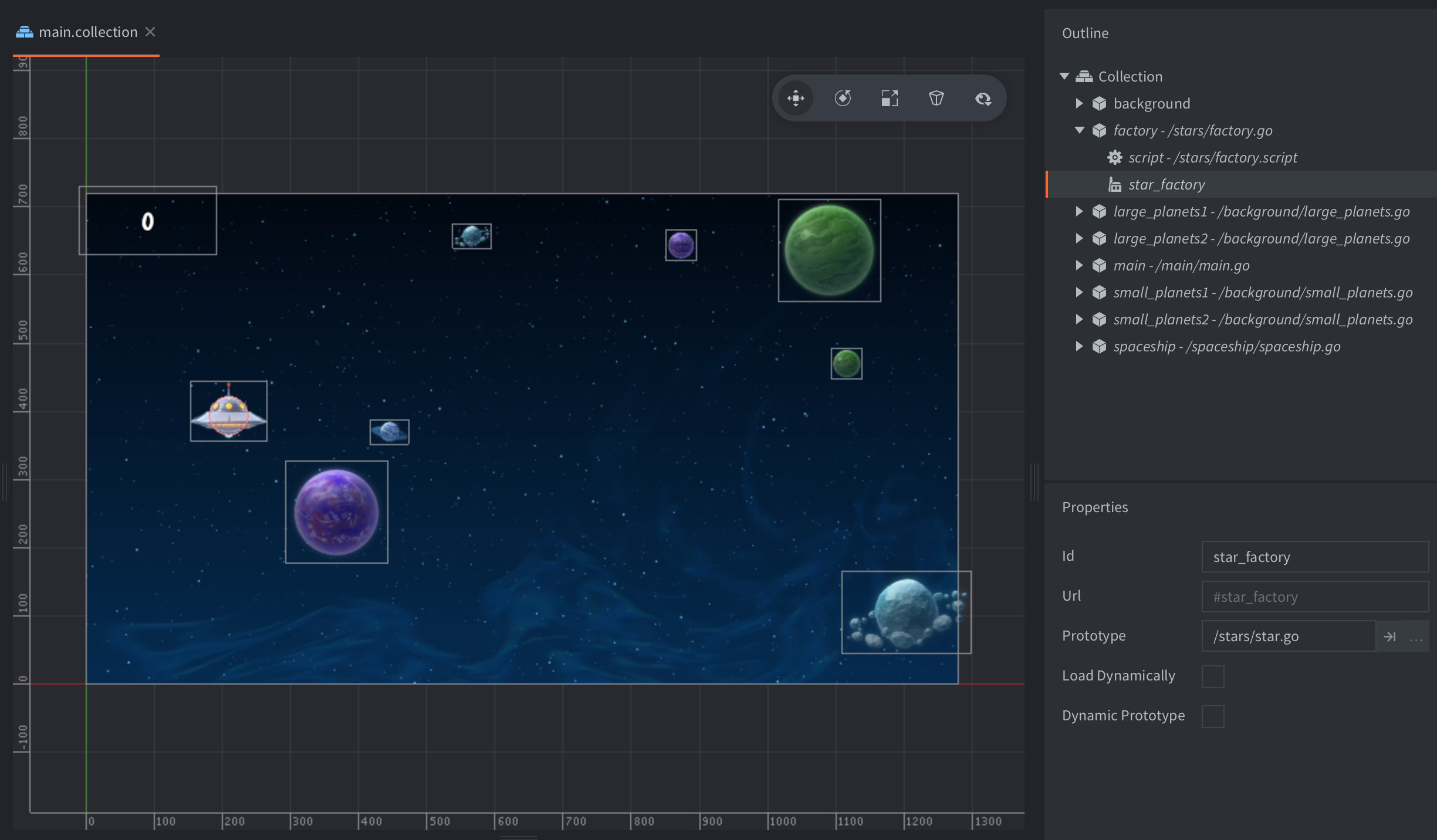
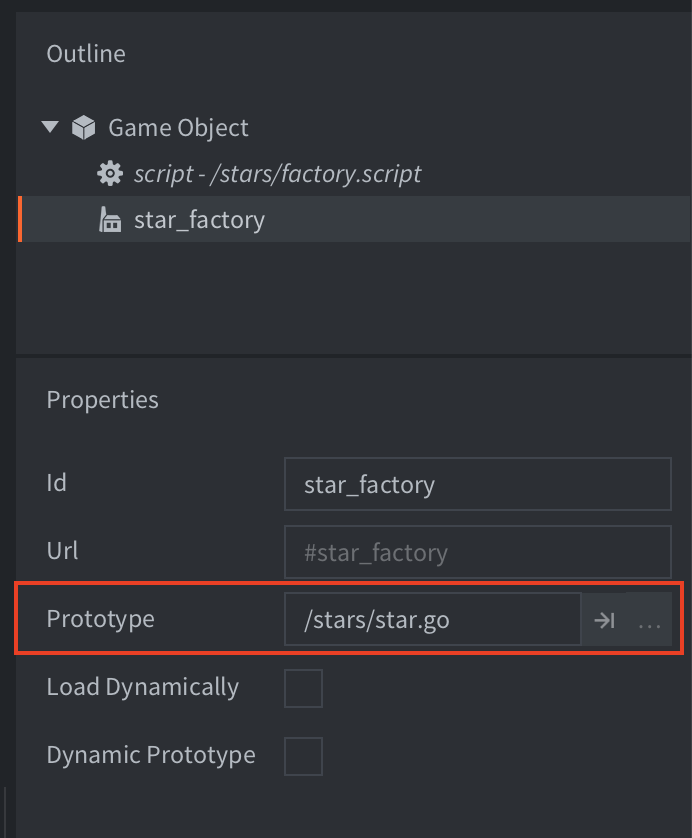
ゲームオブジェクトを作成するには、factory.create() を呼び出します。
-- factory.script
local p = go.get_position()
p.y = vmath.lerp(math.random(), min_y, max_y)
local component = "#star_factory"
factory.create(component, p)
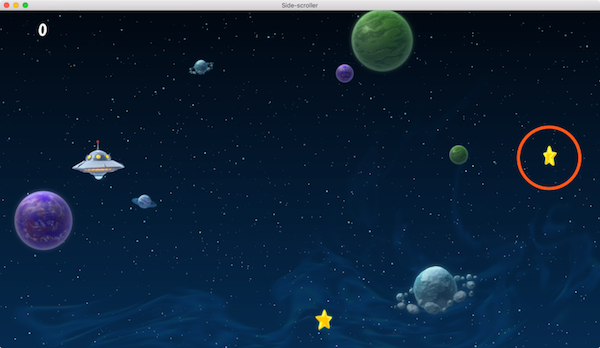
factory.create() は5つのパラメーターを受け取ります。
url- 新しいゲームオブジェクトを生成するファクトリーコンポーネントの識別子です。
[position]- (省略可能)新しいゲームオブジェクトのワールド座標での位置です。
vector3を指定します。位置を指定しない場合、factory.create()を呼び出したゲームオブジェクトの位置に生成されます。 [rotation]- (省略可能)新しいゲームオブジェクトのワールド空間での回転です。
quatを指定します。 [properties]- (省略可能)ゲームオブジェクトの初期化に使うスクリプトプロパティ(script property)の値を格納した Lua テーブルです。スクリプトプロパティについては、スクリプトプロパティのマニュアルを参照してください。
[scale]- (省略可能)生成するゲームオブジェクトのスケールです。スケールは、すべての軸で均等に拡大縮小する倍率を指定する
number(0より大きい値)で表せます。また、各成分が対応する軸の拡大縮小の倍率を指定するvector3も使用できます。
例:
-- factory.script
local p = go.get_position()
p.y = vmath.lerp(math.random(), min_y, max_y)
local component = "#star_factory"
-- Spawn with no rotation but double scale.
-- Set the score of the star to 10.
factory.create(component, p, nil, { score = 10 }, 2.0) -- <1>
- 星のゲームオブジェクトの「score」プロパティを設定します。
-- star.script
go.property("score", 1) -- <1>

local speed = -240

function update(self, dt)
    local p = go.get_position()
    p.x = p.x + speed * dt
    if p.x < -32 then
        go.delete()
    end
    go.set_position(p)
end

function on_message(self, message_id, message, sender)
    if message_id == hash("collision_response") then
        msg.post("main#gui", "add_score", {amount = self.score}) -- <2>
        go.delete()
    end
end
- 「score」スクリプトプロパティを既定値付きで定義します。
- 「self」に格納された値として「score」スクリプトプロパティを参照します。
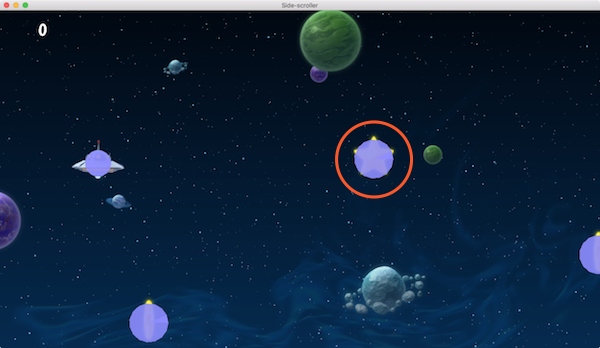
現在、Defold はコリジョン形状(collision shape)の不均等な拡大縮小をサポートしていません。たとえば vmath.vector3(1.0, 2.0, 1.0) のような不均等なスケール値を指定すると、スプライト(sprite)は正しく拡大縮小されますが、コリジョン形状は正しく拡大縮小されません。
ファクトリーで作成したオブジェクトのアドレス指定
Defold のアドレス指定(addressing)の仕組みでは、実行中のゲームのすべてのオブジェクトとコンポーネントにアクセスできます。アドレス指定のマニュアルでは、この仕組みを詳しく説明しています。生成したゲームオブジェクトとそのコンポーネントにも、同じアドレス指定の仕組みを使えます。たとえばメッセージを送信する場合など、多くの場合は生成したオブジェクトの識別子を使うだけで十分です。
local function create_hunter(target_id)
    local id = factory.create("#hunterfactory")
    msg.post(id, "hunt", { target = target_id })
    return id
end
特定のコンポーネントではなくゲームオブジェクト自体にメッセージを送信すると、実際にはすべてのコンポーネントにメッセージが送信されます。通常は問題ありませんが、オブジェクトに多くのコンポーネントがある場合は覚えておくとよいでしょう。
では、たとえばコリジョンオブジェクト(collision object)を無効にしたり、スプライトの画像を変更したりするために、生成したゲームオブジェクトの特定のコンポーネントにアクセスする必要がある場合はどうすればよいでしょうか? ゲームオブジェクトの識別子とコンポーネントの識別子から URL を組み立てることで対応できます。
local function create_guard(unarmed)
    local id = factory.create("#guardfactory")
    if unarmed then
        local weapon_sprite_url = msg.url(nil, id, "weapon")
        msg.post(weapon_sprite_url, "disable")

        local body_sprite_url = msg.url(nil, id, "body")
        sprite.play_flipbook(body_sprite_url, hash("red_guard"))
    end
end
生成したオブジェクトと親オブジェクトの追跡
factory.create() を呼び出すと、新しいゲームオブジェクトの識別子が返されるので、後で参照するために保存できます。よくある使い方として、オブジェクトを生成してその識別子をテーブルに追加し、後でまとめて削除できるようにする方法があります。たとえば、レベルの配置をリセットする場合に使います。
-- spawner.script
self.spawned_coins = {}

...

-- Spawn a coin and store it in the "coins" table.
local id = factory.create("#coinfactory", coin_position)
table.insert(self.spawned_coins, id)
その後、次のように削除します。
-- spawner.script
-- Delete all spawned coins.
for _, coin_id in ipairs(self.spawned_coins) do
    go.delete(coin_id)
end

-- or alternatively
go.delete(self.spawned_coins)
生成したオブジェクトに、自分を生成したゲームオブジェクトを認識させたい場合もよくあります。たとえば、同時に1つしか生成できない自律的なオブジェクトが考えられます。この場合、生成されたオブジェクトは、削除されたときや無効になったときに生成元に知らせ、次のオブジェクトを生成できるようにする必要があります。
-- spawner.script
-- Spawn a drone and set its parent to the url of this script component
self.spawned_drone = factory.create("#dronefactory", drone_position, nil, { parent = msg.url() })

...

function on_message(self, message_id, message, sender)
    if message_id == hash("drone_dead") then
        self.spawned_drone = nil
    end
end
生成されたオブジェクトのロジックは次のようになります。
-- drone.script
go.property("parent", msg.url())

...

function final(self)
    -- I'm dead.
    msg.post(self.parent, "drone_dead")
end
ファクトリーのリソースの動的読み込み
ファクトリーのプロパティで Load Dynamically チェックボックスをオンにすると、エンジンはファクトリーに関連するリソースの読み込みを遅らせます。
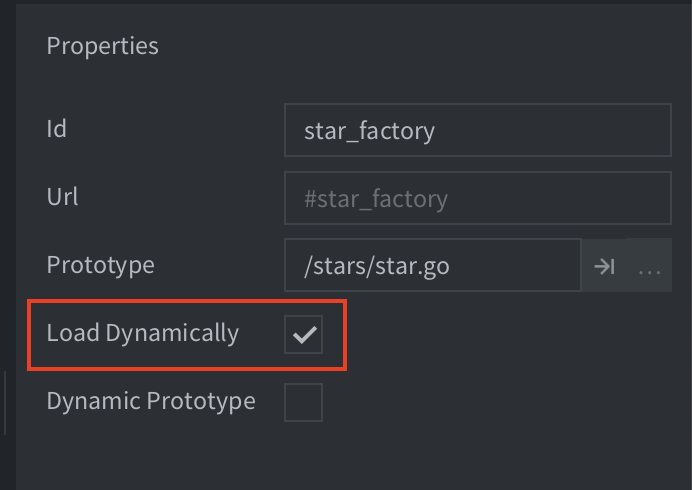
チェックボックスがオフの場合、エンジンはファクトリーコンポーネントの読み込み時にプロトタイプのリソースを読み込むので、すぐに生成できる状態になります。
チェックボックスがオンの場合、使い方は2つあります。
- 同期読み込み
- オブジェクトを生成するときに
factory.create()を呼び出します。リソースを同期的に読み込んでから、新しいインスタンス(instance)を生成します。この読み込みで、動作が一瞬止まることがあります。function init(self) -- No factory resources are loaded when the factory’s parent -- collection is loaded. Calling create without having called -- load will create the resources synchronously. self.go_id = factory.create("#factory") end function final(self) -- Delete game objects. Will decref resources. -- In this case resources are deleted since the factory component -- holds no reference. go.delete(self.go_id) -- Calling unload will do nothing since factory holds no references factory.unload("#factory") end - 非同期読み込み
factory.load()を呼び出して、リソースを明示的に非同期で読み込みます。リソースの準備が整って生成できる状態になると、コールバックが呼び出されます。function load_complete(self, url, result) -- Loading is complete, resources are ready to spawn self.go_id = factory.create(url) end function init(self) -- No factory resources are loaded when the factory’s parent -- collection is loaded. Calling load will load the resources. factory.load("#factory", load_complete) end function final(self) -- Delete game object. Will decref resources. -- In this case resources aren’t deleted since the factory component -- still holds a reference. go.delete(self.go_id) -- Calling unload will decref resources held by the factory component, -- resulting in resources being destroyed. factory.unload("#factory") end
動的プロトタイプ
ファクトリーのプロパティで Dynamic Prototype チェックボックスをオンにすると、ファクトリーが作成できる Prototype を変更できます。
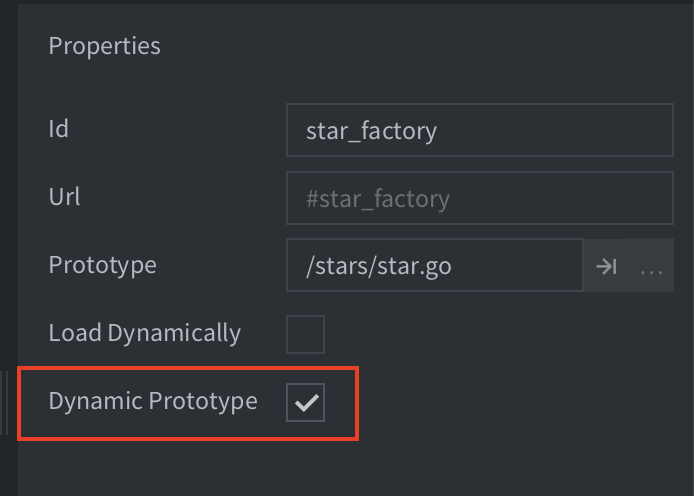
Dynamic Prototype オプションがオンの場合、ファクトリーコンポーネントは factory.set_prototype() 関数を使ってプロトタイプを変更できます。例:
factory.unload("#factory") -- unload the previous resources
factory.set_prototype("#factory", "/main/levels/enemyA.goc")
local enemy_id = factory.create("#factory")
Dynamic Prototype オプションが設定されていると、コレクション(collection)のコンポーネント数を最適化できず、このファクトリーを所有するコレクションは game.project ファイルの既定のコンポーネント数を使います。
インスタンス数の上限
プロジェクト設定の Collection にある Max Instances は、各コレクション(ワールド)内のゲームオブジェクト数の上限です。ビルド時に安全だと判断できる場合、Defold はより小さい容量を割り当てることがあります。エディターで配置したものも実行時に生成したものも、ワールド内で同時に存在するすべてのゲームオブジェクトが、この容量の対象に含まれます。

実際の割り当ては、ビルド時の解析によって決まります。
- ビルド時にゲームオブジェクト数を固定値として特定できる場合(通常、コレクションにファクトリーもコレクションファクトリー(collection factory)もない場合)、容量はコンパイル時に確定した数になります。ただし、Max Instances が上限になります。
- ファクトリーまたはコレクションファクトリーを含むコレクションは、ゲームオブジェクトの容量に Max Instances を使います。静的に参照されるプロトタイプについては、ビルド時にファクトリーが生成できるコンポーネントの種類を特定します。その種類には、それぞれのプロジェクト設定の最大数を使います。一方、影響を受けない種類のコンポーネントには、引き続き正確な数を使えます。
- Dynamic Prototype を有効にすると、このファクトリーを所有するコレクションのコンポーネント数の解析が無効になるため、Max Instances と、設定されたコンポーネントごとの最大数が使われます。
動的なワールドで同時に存在する可能性があるゲームオブジェクトの最大数に合わせて、Max Instances を設定してください。その他のコンポーネントの上限の計算方法については、コンポーネントの最大数の最適化を参照してください。
ゲームオブジェクトのプール
生成したゲームオブジェクトをプールに保存して再利用するのは、よい方法に思えるかもしれません。しかし、エンジンは内部ですでにオブジェクトをプールしているため、追加のオーバーヘッドは動作を遅くするだけです。ゲームオブジェクトを削除して新しく生成する方が、高速でコードもすっきりします。