

Morph Target Weights
Description
This example lets you move the pointer left and right to blend a glTF model from a cube into a sphere. The morph target weight is controlled from Lua with model.set_blend_weights() instead of being driven by the model’s built-in animation.
What You’ll Learn
- How to load a glTF file that contains morph targets in a Model component
- How to stop model animation with
model.cancel() - How to set morph target weights manually with
model.set_blend_weights() - How to create a model material to apply morph target data
Setup
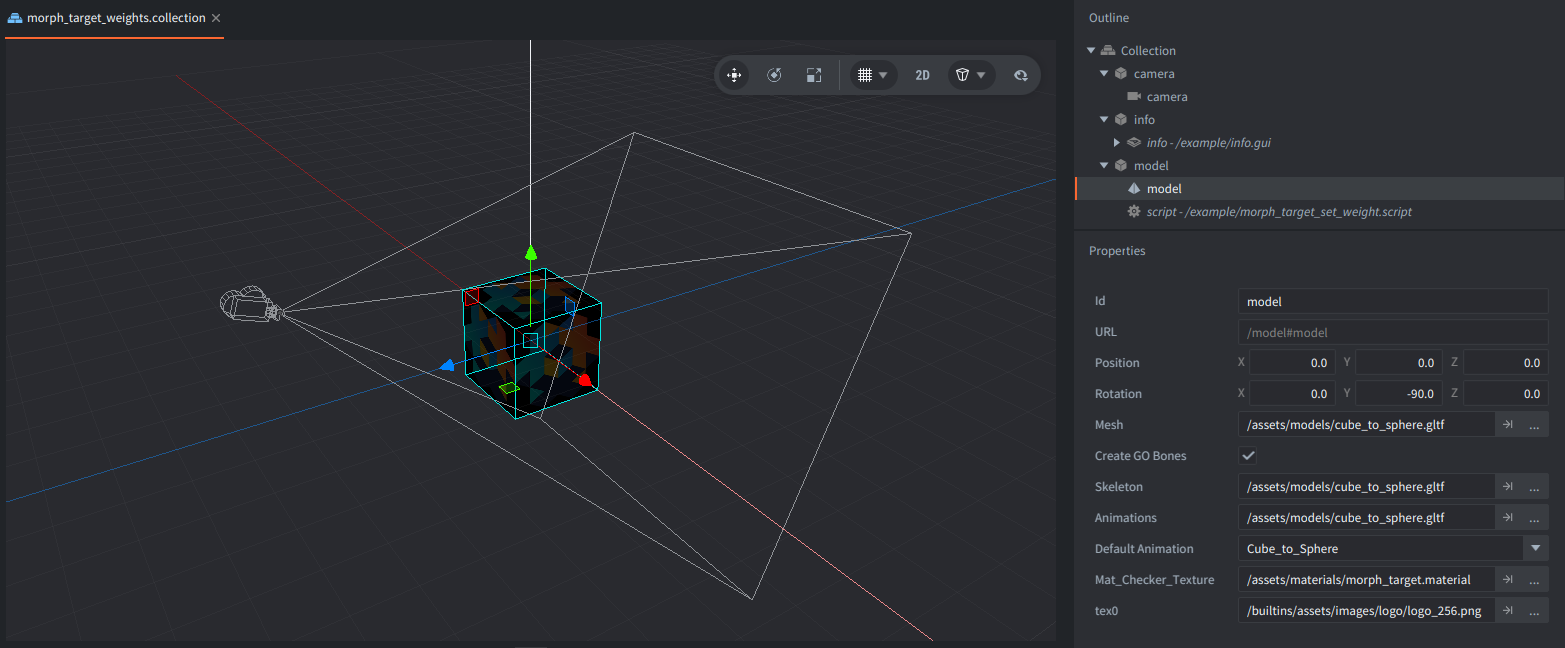
The collection contains a model game object, a camera, and an info GUI.
- model
- Contains a Model component and
morph_target_set_weight.script. The Model component uses/assets/models/cube_to_sphere.gltffor its mesh, skeleton, and animation data. The glTF file has one morph target and aCube_to_Sphereanimation, but the script cancels the animation so input can control the weight directly. - camera
- Contains a perspective Camera component positioned above and in front of the model.
- info
- Contains a GUI with the on-screen instruction text near the bottom of the screen.
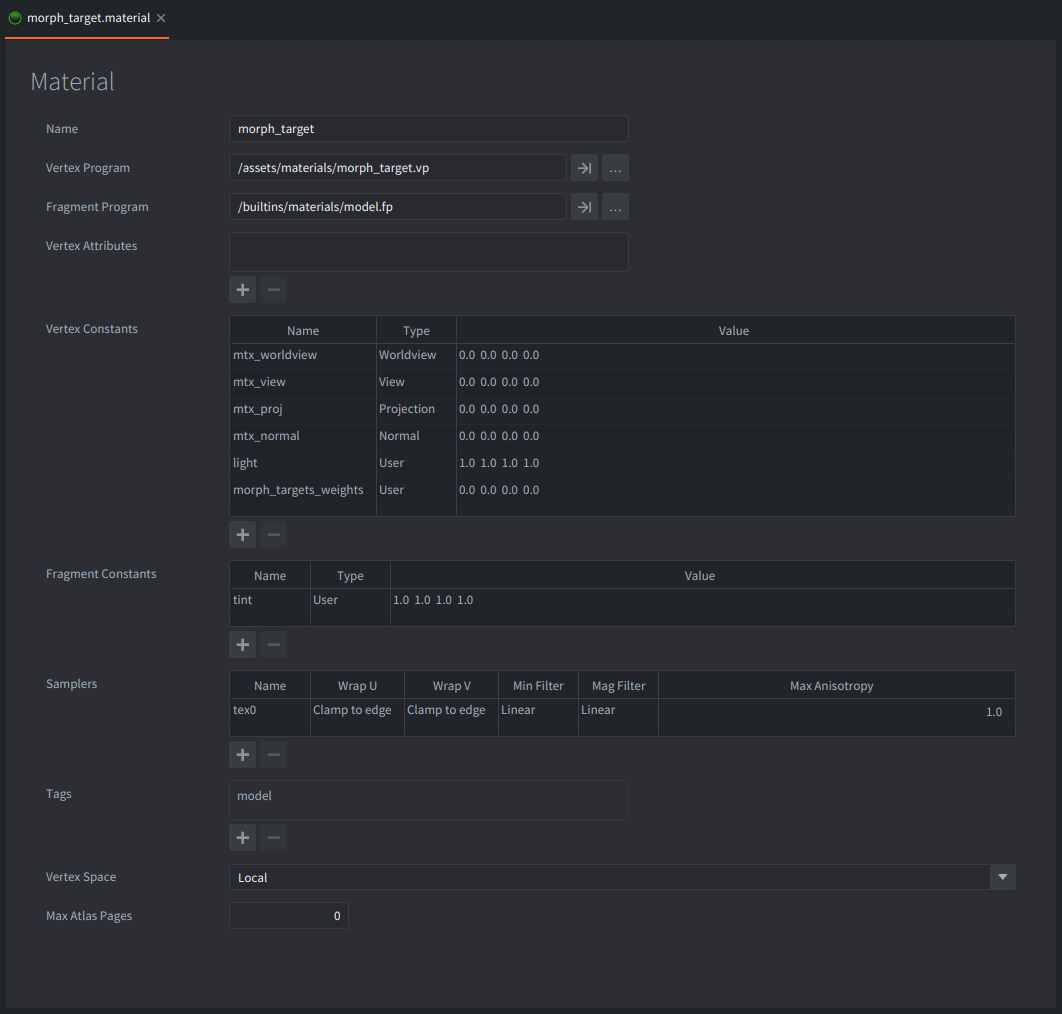
The Model component uses /assets/materials/morph_target.material. This material declares the morph_targets_weights vertex constant and uses a vertex shader that samples the generated morph_targets texture array. Without those bindings, Lua can change the weights but the material will not render the deformed mesh.
How It Works
morph_target_set_weight.script acquires input focus, cancels the model’s default animation, and initializes the morph weight to 0.0. A weight of 0.0 shows the base cube, while a weight of 1.0 applies the sphere morph target fully.
When the pointer moves, the script divides action.screen_x by the window width to get a normalized value from left to right. It stores that value in the first entry of a weights table and calls:
model.set_blend_weights("#model", { weight })
The table values match the morph target order in the glTF file. This model has one target, so the table contains one value. A model with several targets would pass several numbers, for example { smile_weight, blink_weight, jaw_weight }. Extra values are ignored, and missing values are treated as zero for remaining targets.
model.set_blend_weights() overrides the weights that would otherwise come from animation. The override is applied every frame after animations run. Calling model.set_blend_weights("#model") with no table, or passing nil as the second argument, clears the override and lets model animations drive the morph target weights again.
Credits
The cube_to_sphere.gltf asset is CC0 / Public Domain Dedication created by the Defold Foundation.
Scripts
morph_target_set_weight.script
-- URL of the model in the example
local MODEL = "#model"

-- Helper function to set morph weight
local function set_morph_weight(self, weight)
    self.weights[1] = math.max(0, math.min(1, weight)) -- <1>
    model.set_blend_weights(MODEL, self.weights) -- <2>
end

function init(self)
    msg.post(".", "acquire_input_focus") -- <3>
    model.cancel(MODEL) -- <4>

    self.weights = { 0.0 } -- <5>
    set_morph_weight(self, 0.0) -- <6>
end

function on_input(self, _action_id, action)
    if action.screen_x then
        local width = window.get_size()    -- <7>
        local weight = action.screen_x / width -- <8>
        set_morph_weight(self, weight) -- <9>
        return true
    end
end


function final(self)
    model.set_blend_weights(MODEL) -- <10>
    msg.post(".", "release_input_focus")
end

--[[
1. Clamp the weight value between 0 and 1.
2. Override the model's morph target weights. This model has one morph target, so the table contains one value.
3. Enable input so pointer movement is received by `on_input`.
4. Stop the default glTF animation so the script controls the morph weight directly.
5. Weights are stored in a table of values for each morph weight.
6. Set the weight initially to 0 using the helper function.
7. Get the window size (wdith is the first returned value).
8. Convert the horizontal pointer position into a weight from 0.0 at the left edge to 1.0 at the right edge.
9. Set the weight on the model using the helper function.
10. Clear the script override so animations can drive morph weights again if the component is reused.
]]
morph_target.vp
#version 140

in highp vec4 position;
in mediump vec2 texcoord0;
in mediump vec3 normal;

out highp vec4 var_position;
out mediump vec3 var_normal;
out mediump vec2 var_texcoord0;
out mediump vec4 var_light;

uniform vs_uniforms
{
    mediump mat4 mtx_worldview;
    mediump mat4 mtx_view;
    mediump mat4 mtx_proj;
    mediump mat4 mtx_normal;
    mediump vec4 light;
    mediump vec4 morph_targets_weights[1];
};

uniform sampler2DArray morph_targets;

vec2 get_morph_uv(int index, int width, int height)
{
    int x = index % width;
    int y = index / width;

    return vec2(
        (float(x) + 0.5) / float(width),
        (float(y) + 0.5) / float(height)
    );
}

void apply_weighted_morph_target(in vec2 uv, in float weight, inout vec3 p, inout vec3 n, in int target)
{
    if (weight == 0.0) {
        return;
    }

    int position_layer = target * 3;
    int normal_layer = target * 3 + 1;

    p += weight * texture(morph_targets, vec3(uv, position_layer)).xyz;
    n += weight * texture(morph_targets, vec3(uv, normal_layer)).xyz;
}

void get_morph_target_data(int vertex_index, out vec3 position_delta, out vec3 normal_delta)
{
    position_delta = vec3(0.0);
    normal_delta = vec3(0.0);

#ifndef EDITOR
    ivec3 morph_texture_size = textureSize(morph_targets, 0);
    vec2 uv = get_morph_uv(vertex_index, morph_texture_size.x, morph_texture_size.y);

    apply_weighted_morph_target(uv, morph_targets_weights[0].x, position_delta, normal_delta, 0);
    apply_weighted_morph_target(uv, morph_targets_weights[0].y, position_delta, normal_delta, 1);
    apply_weighted_morph_target(uv, morph_targets_weights[0].z, position_delta, normal_delta, 2);
    apply_weighted_morph_target(uv, morph_targets_weights[0].w, position_delta, normal_delta, 3);
#endif
}

void main()
{
    vec3 position_delta, normal_delta;
    get_morph_target_data(gl_VertexIndex, position_delta, normal_delta);

    vec3 morphed_position = position.xyz + position_delta;
    vec3 morphed_normal = normalize(normal + normal_delta);

    vec4 p = mtx_worldview * vec4(morphed_position, 1.0);
    var_light = mtx_view * vec4(light.xyz, 1.0);
    var_position = p;
    var_texcoord0 = texcoord0;
    var_normal = normalize((mtx_normal * vec4(morphed_normal, 0.0)).xyz);
    gl_Position = mtx_proj * p;
}