

Basic Lights 3D
Description
This example sets up a small 3D city scene with several light component types. The police car moves through the street so its headlights, rear lights, and siren lights can be seen on nearby models.
You can orbit the camera around the scene with the mouse or touch input.
Read more about Light components in the manual.
What You’ll Learn
- How to add ambient, directional, point, and spot light components to a 3D scene.
- How to use built-in lit model materials that respond to light components.
- How changing or animating properties of the parent game object of light components affect them.
Setup
The bootstrap collection example/basic_lights_3d.collection contains a simple city scene made from model components.
There is also:
- a camera game object with camera component and
orbit_camera.script - a
lightsgame object that groups the scene lights, lamp, and moving car with light components
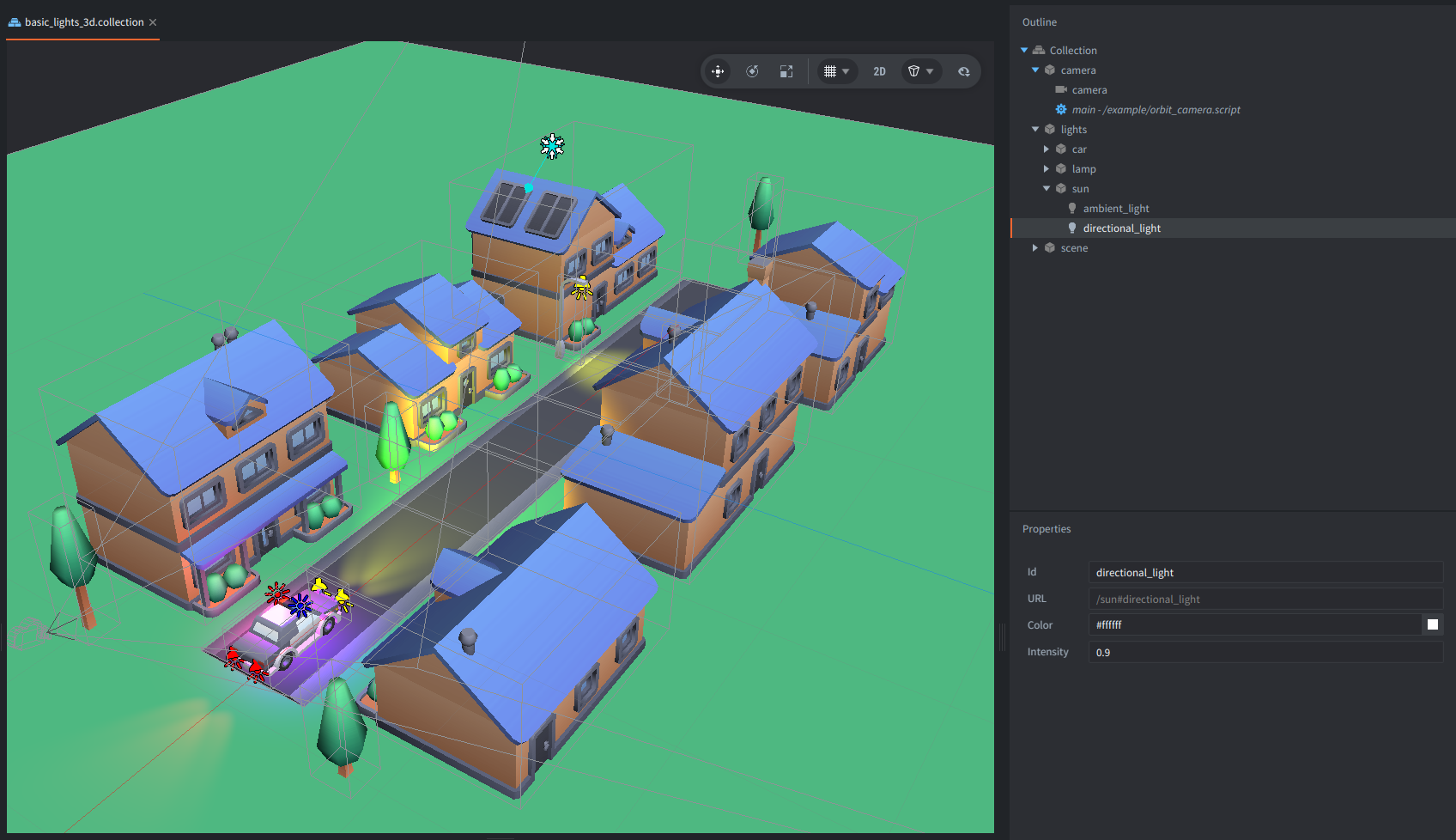
All visible models in this scene use /builtins/materials/model_instanced_lit.material.
Lit built-in materials are an example for model components to receive and react to the light from Defold Light components introduced in Defold 1.13.1.
You can use a material variant that matches the model:
/builtins/materials/model_lit.materialfor a regular static model./builtins/materials/model_instanced_lit.materialfor static models that utilise GPU instancing./builtins/materials/model_skinned_lit.materialfor a skinned (animated) model./builtins/materials/model_skinned_instanced_lit.materialfor skinned (animated( models that can be instanced.
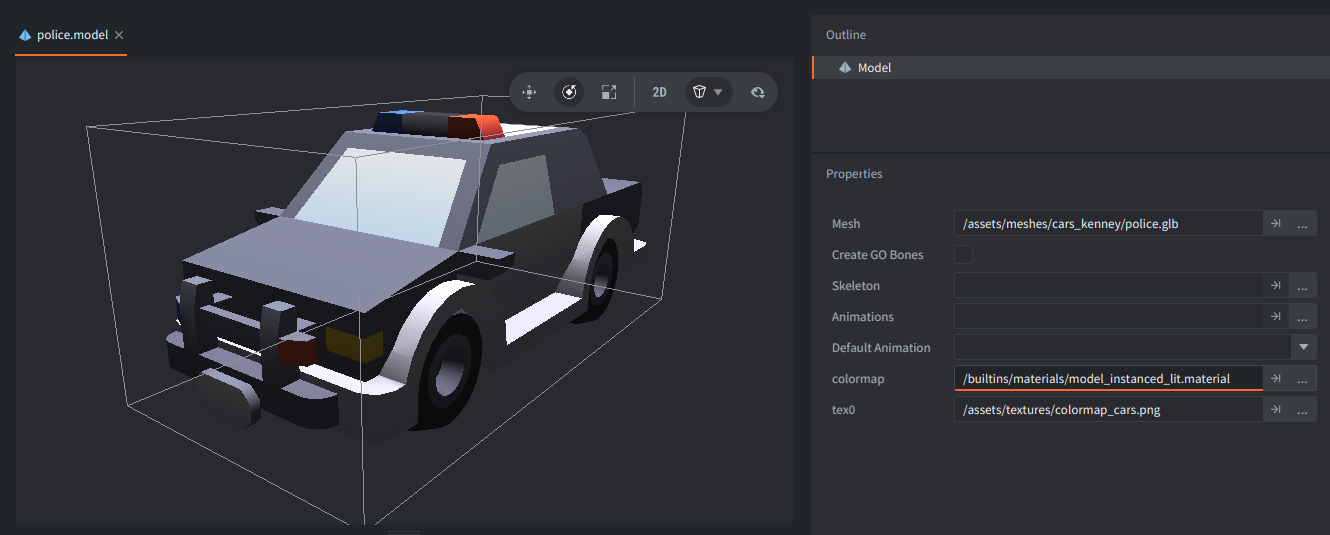
In the model file, the colormap material slot has assigned model_instanced_lit.material,
and the texture sampler tex0 points to the color map used by that model group.
How It Works
The sun game object contains two light components.
The ambient_light adds a constant color to the shading of the models,
so that unlit sides of the models are not completely black.
The directional_light represents distant light, like sunlight,
and uses the parent game object’s rotation to define the light direction.
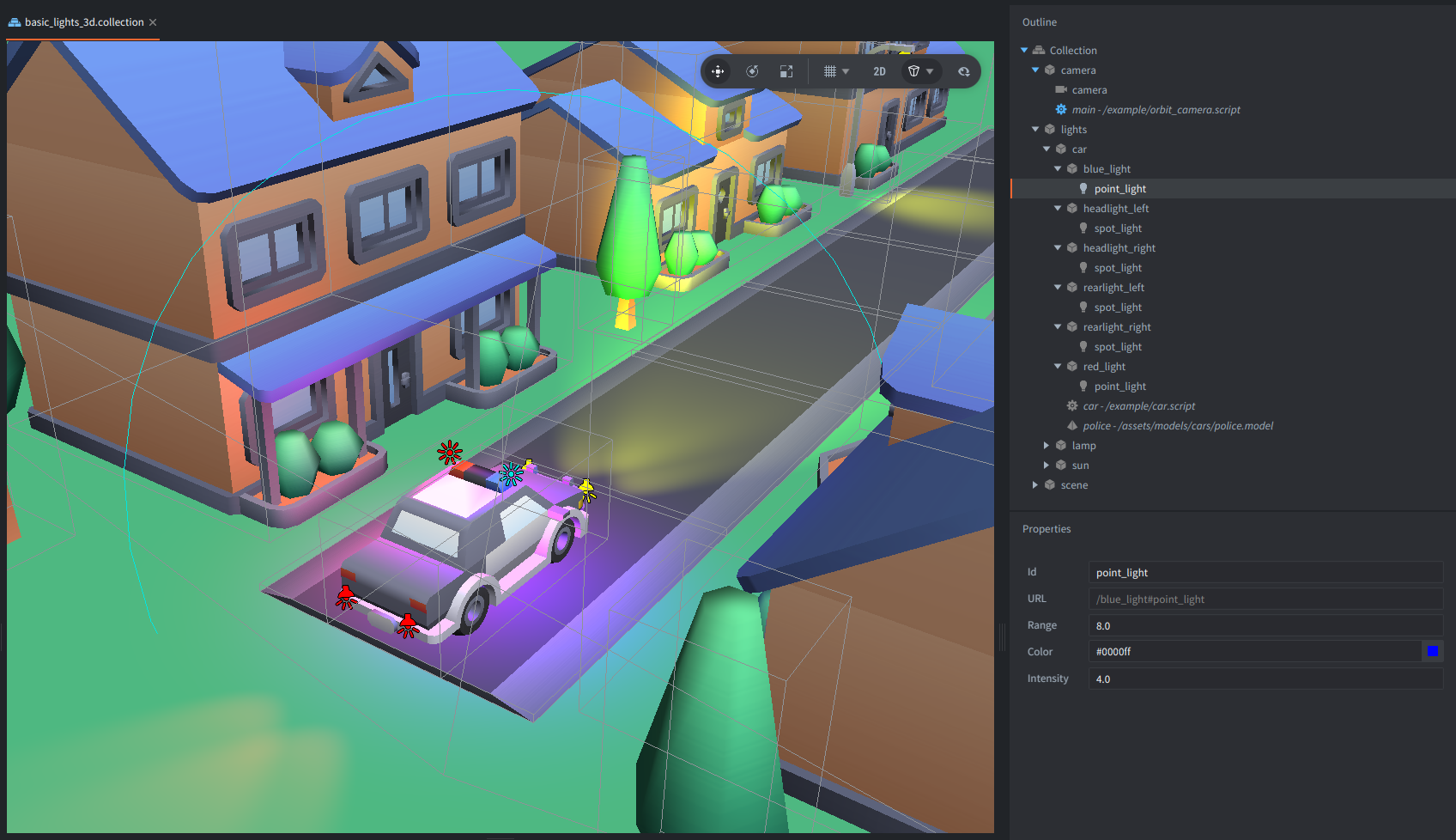
The police siren lights on the car uses two point light components.
The point light is used as a light source that has a position in the world,
and a spherical area around it defined by the range.
It uses the parent’s game objects position and scale.
It also has a color and intensity.
The red_light and the blue_light are child game objects of the car, so they move with it.
The car.script animates the scale of the two light game objects at different times,
which makes the red and blue light contribution pulse, like the police siren lights.
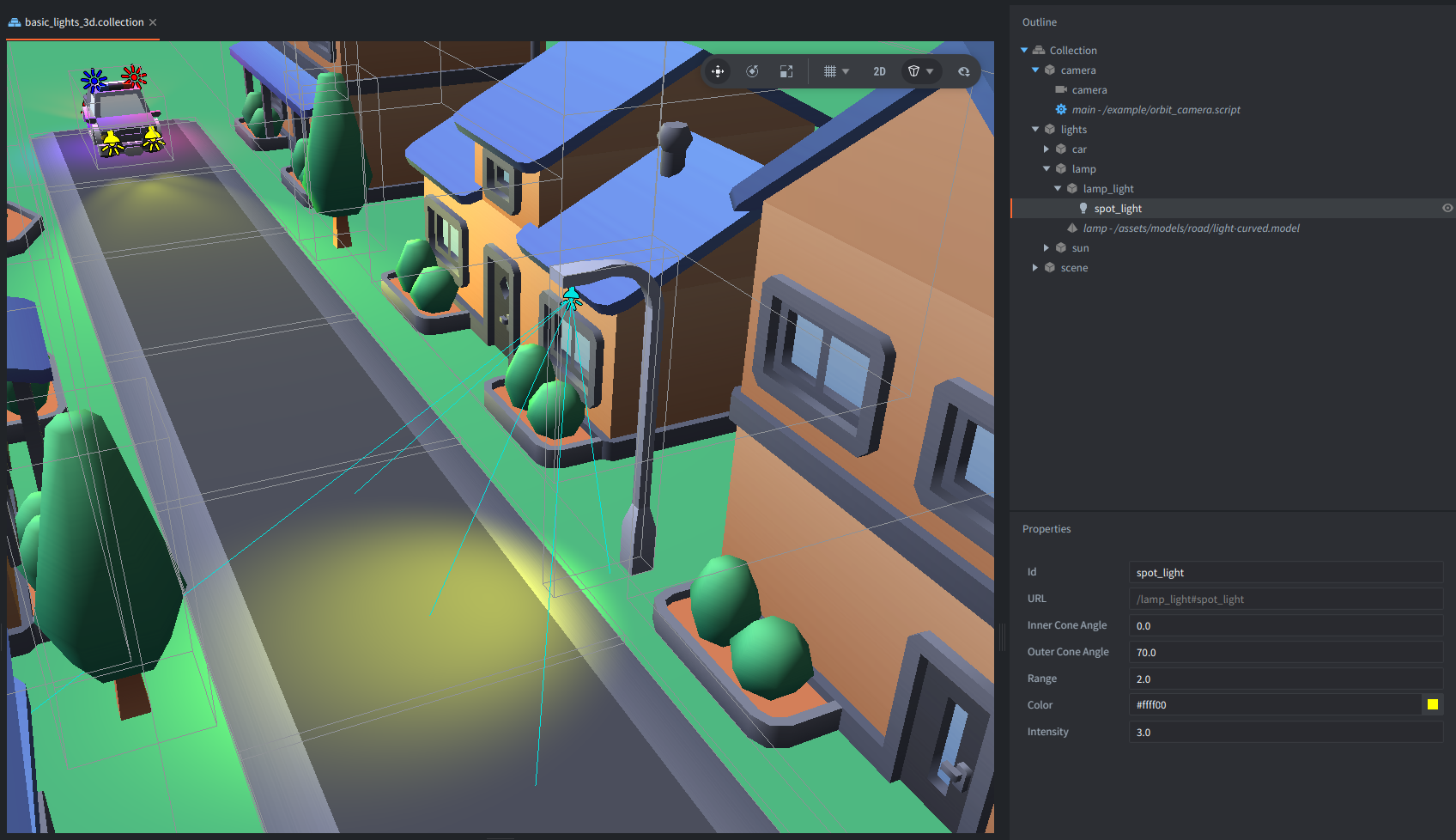
The headlights, rear lights, and street lamp use spot light components.
A spot light is for a light that has a volume in a shape of a cone, e.g. flashlights, lamps or car’s lights.
It has the same color, intensity, and range controls as a point light,
plus inner_cone_angle and outer_cone_angle to shape the beam.
It uses the parent’s game objects position, scale and rotation.
In this scene the headlights are yellow spot lights with a long range,
the rear lights are shorter red spot lights,
and the street lamp points downward from the lamp model.
The car movement is intentionally simple - car.script just animates the car position back and forth,
flips its rotation every five seconds, and animates the scale of the siren lights.
The lighting behavior itself comes from the light components and the built-in lit model materials.
All the models in the example are from Kenney asset packs (Road, City and Cars), licensed under CC0.
Scripts
car.script
function init(self)
    -- Start an animation to go over X axis looking like the car is driving back and forth
    go.animate(".", "position.x", go.PLAYBACK_LOOP_PINGPONG, 2.5, go.EASING_INOUTSINE, 10)

    -- Store car's initial rotation
    self.rotation = go.get_rotation(".")

    -- Every 5 seconds start a rotation animation
    timer.delay(5, true, function()
        -- Rotate the car around its Y axis
        self.rotation.y = - self.rotation.y
        go.animate(".", "rotation", go.PLAYBACK_ONCE_FORWARD, self.rotation, go.EASING_INOUTSINE, 0.5)
    end)

    -- Animate the scale of the game object containing a blue light component of the police siren lights
    go.animate("/blue_light", "scale", go.PLAYBACK_LOOP_PINGPONG, vmath.vector3(1.5), go.EASING_INOUTSINE, 1)

    -- Animate the scale of the game object containing a red light component of the police siren lights
    timer.delay(0.5, false, function()
        go.animate("/red_light", "scale", go.PLAYBACK_LOOP_PINGPONG, vmath.vector3(1.5), go.EASING_INOUTSINE, 1)
    end)
end
orbit_camera.script
-- The initial zoom level
go.property("zoom", 3)
-- The speed of the zoom
go.property("zoom_speed", 0.1)
-- The speed of the rotation
go.property("rotation_speed", 0.5)
-- The offset of the camera from the origin
go.property("offset", vmath.vector3(0, 0, 0))

function init(self)
    -- Acquire input focus to receive input events
    msg.post(".", "acquire_input_focus")

    -- Initialize start values
    self.yaw = go.get(".", "euler.y")
    self.pitch = go.get(".", "euler.x")
    self.zoom_offset = 0
    self.current_yaw = self.yaw
    self.current_pitch = self.pitch
    self.current_zoom = self.zoom_offset
end

function update(self, dt)
    -- Animate camera rotation and zoom
    self.current_yaw = vmath.lerp(0.15, self.current_yaw, self.yaw)
    self.current_pitch = vmath.lerp(0.15, self.current_pitch, self.pitch)
    self.current_zoom = vmath.lerp(0.15, self.current_zoom, self.zoom_offset)

    -- Calculate rotation and position
    local camera_yaw = vmath.quat_rotation_y(math.rad(self.current_yaw))
    local camera_pitch = vmath.quat_rotation_x(math.rad(self.current_pitch))
    local camera_rotation = camera_yaw * camera_pitch
    local camera_position = self.offset + vmath.rotate(camera_rotation, vmath.vector3(0, 0, self.zoom + self.current_zoom))

    -- Set camera position and rotation
    go.set_position(camera_position)
    go.set_rotation(camera_rotation)
end

function on_input(self, action_id, action)
    if action_id == hash("touch") and not action.pressed then
        self.yaw   = self.yaw   - action.dx * self.rotation_speed
        self.pitch = self.pitch + action.dy * self.rotation_speed
    elseif action_id == hash("mouse_wheel_up") then
        self.zoom_offset = self.zoom_offset - self.zoom * self.zoom_speed
    elseif action_id == hash("mouse_wheel_down") then
        self.zoom_offset = self.zoom_offset + self.zoom * self.zoom_speed
    end
end